



Log on to the GCP console
First go to the GCP console and log in using your Google account.Selecting a GCP project
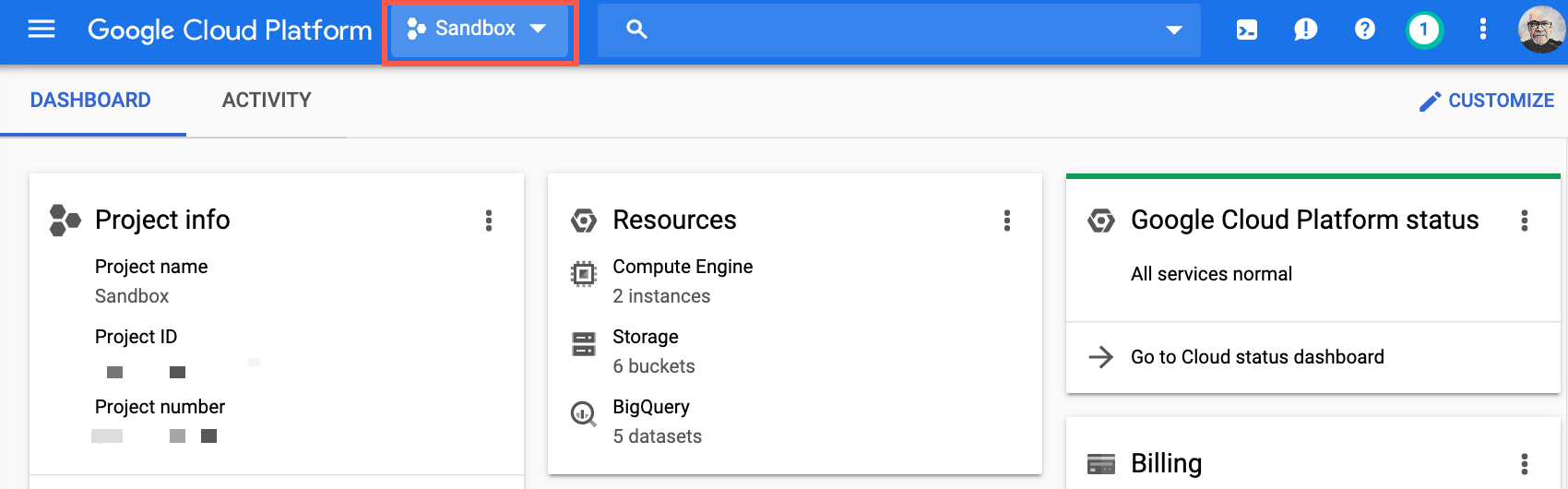
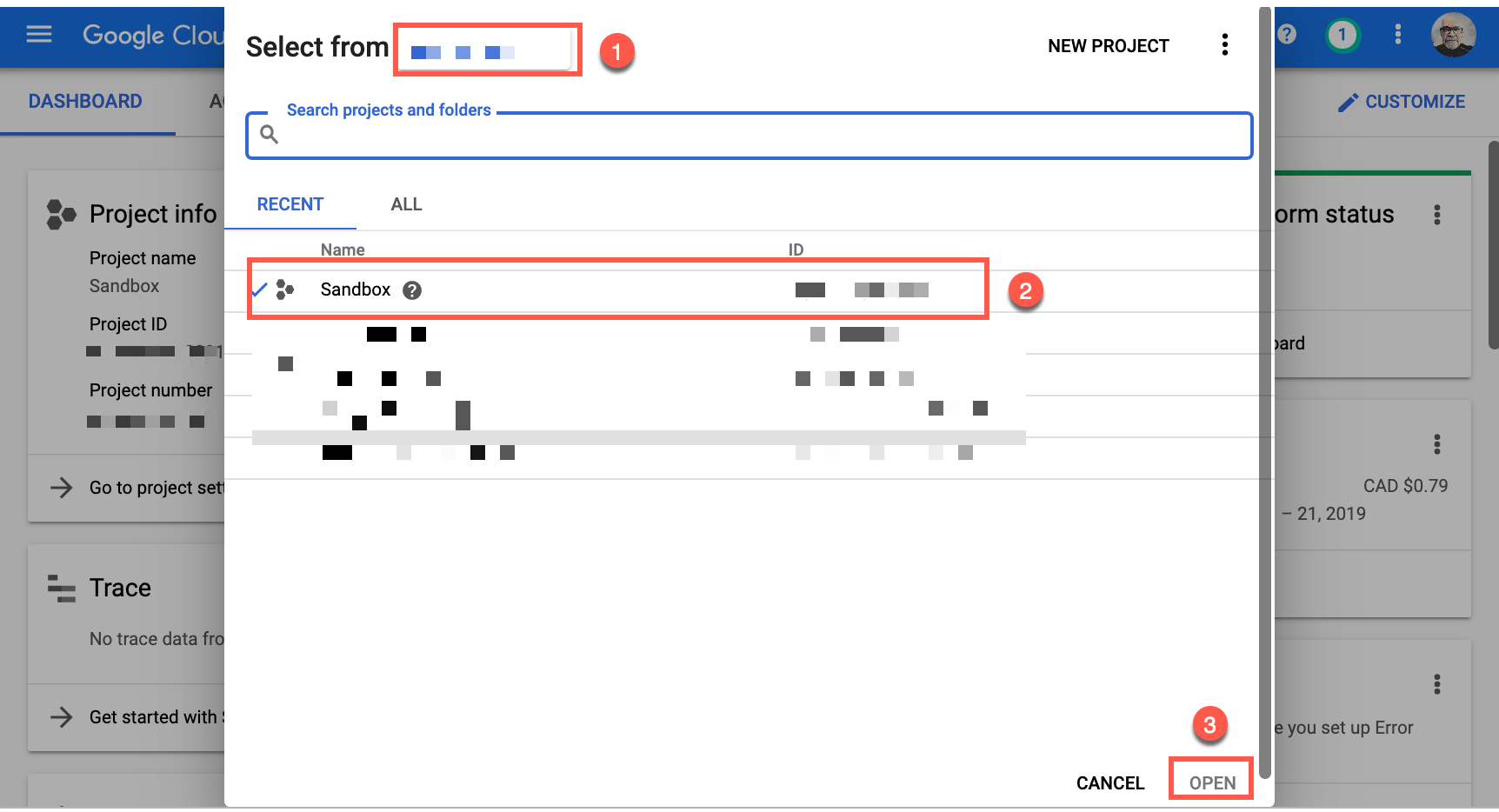
You need to select a project. If you don’t have any projects then go to the project selector page to create one. For this demonstration, I have created and used a specific project namedSandbox.
Cloud SQL
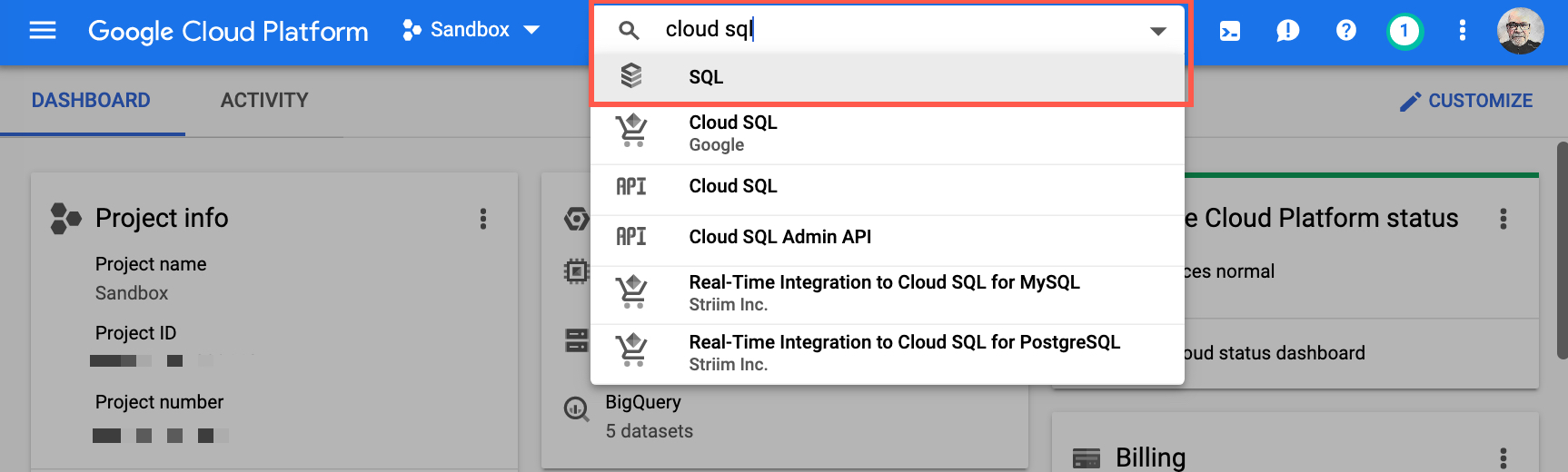
Go to the Cloud SQL page. You can do this by typingcloud sql in the resources and products search field and select SQL.
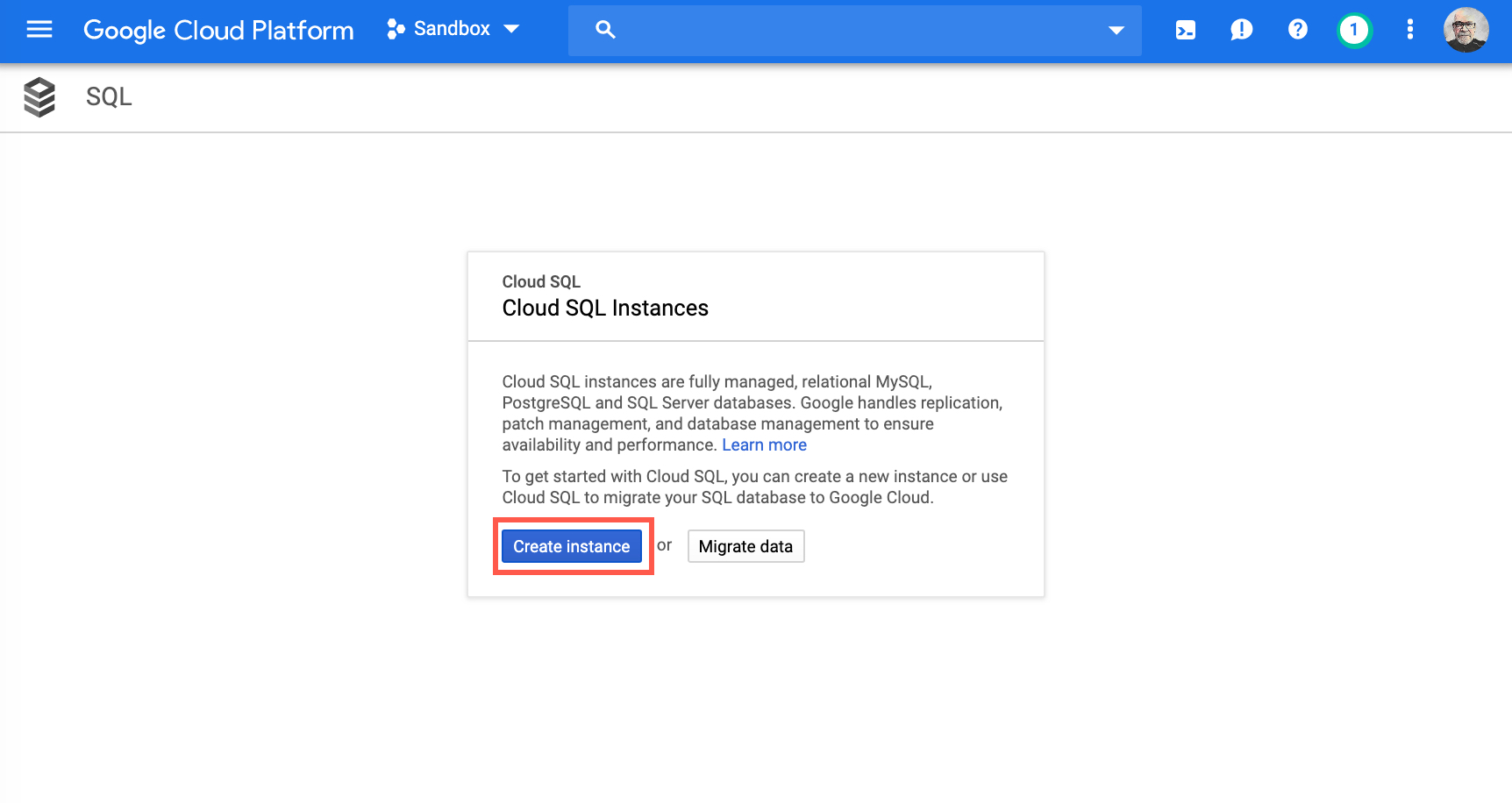
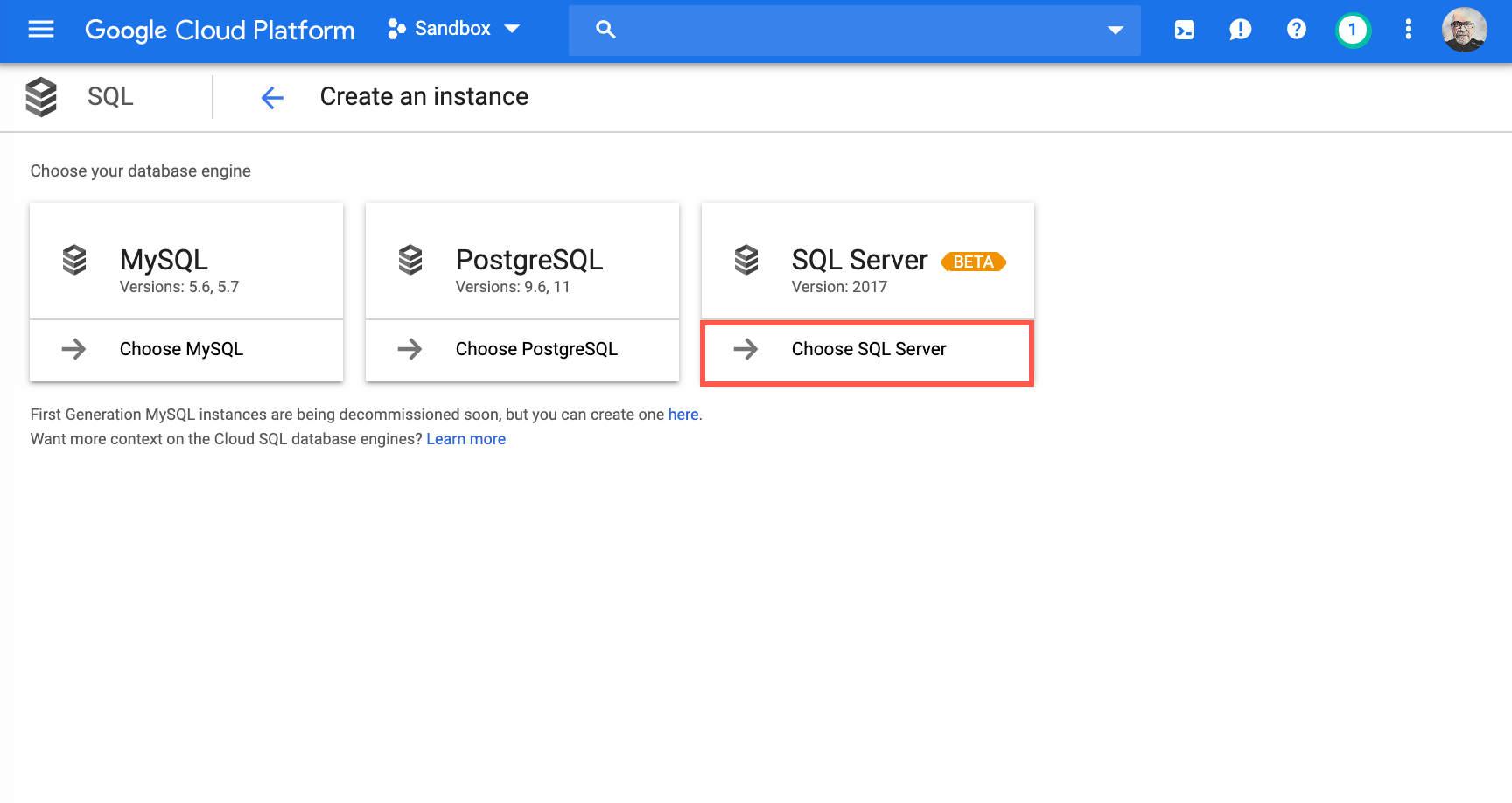
Create a SQL Server instance
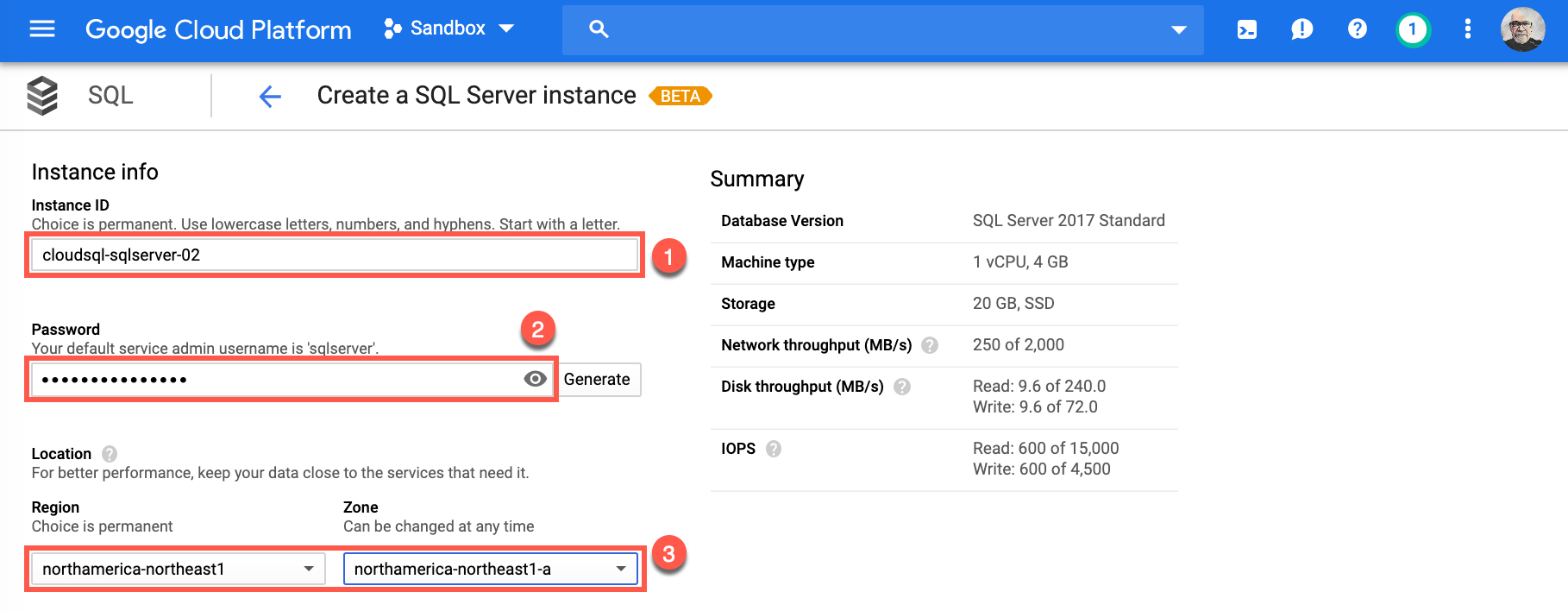
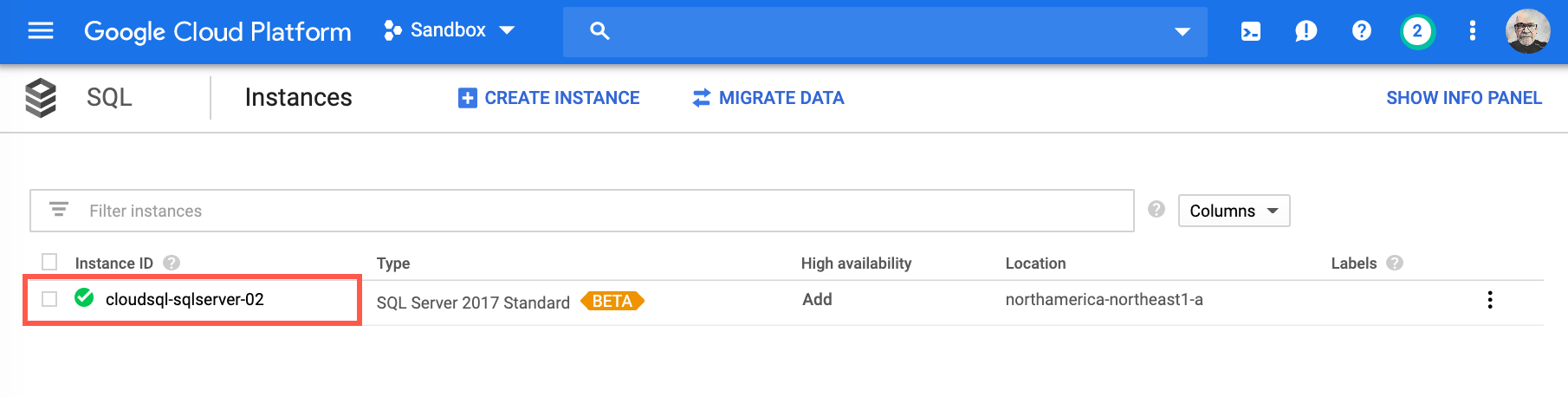
You are now ready to start configuring your managed instance of SQL Server. For demonstration purposes, I have included my config. information. Please make sure to provide/replace with your own information to set up your own instance.- Provide a name for your instance. For my Instance ID I chose
cloudsql-sqlserver-02 - Provide a strong password for your default service admin username. Remember the default user name is
sqlserver - Choose Region and Zone. For my Instance I chose region:
northamerica-northeast1and zone:northamerica-northeast1a
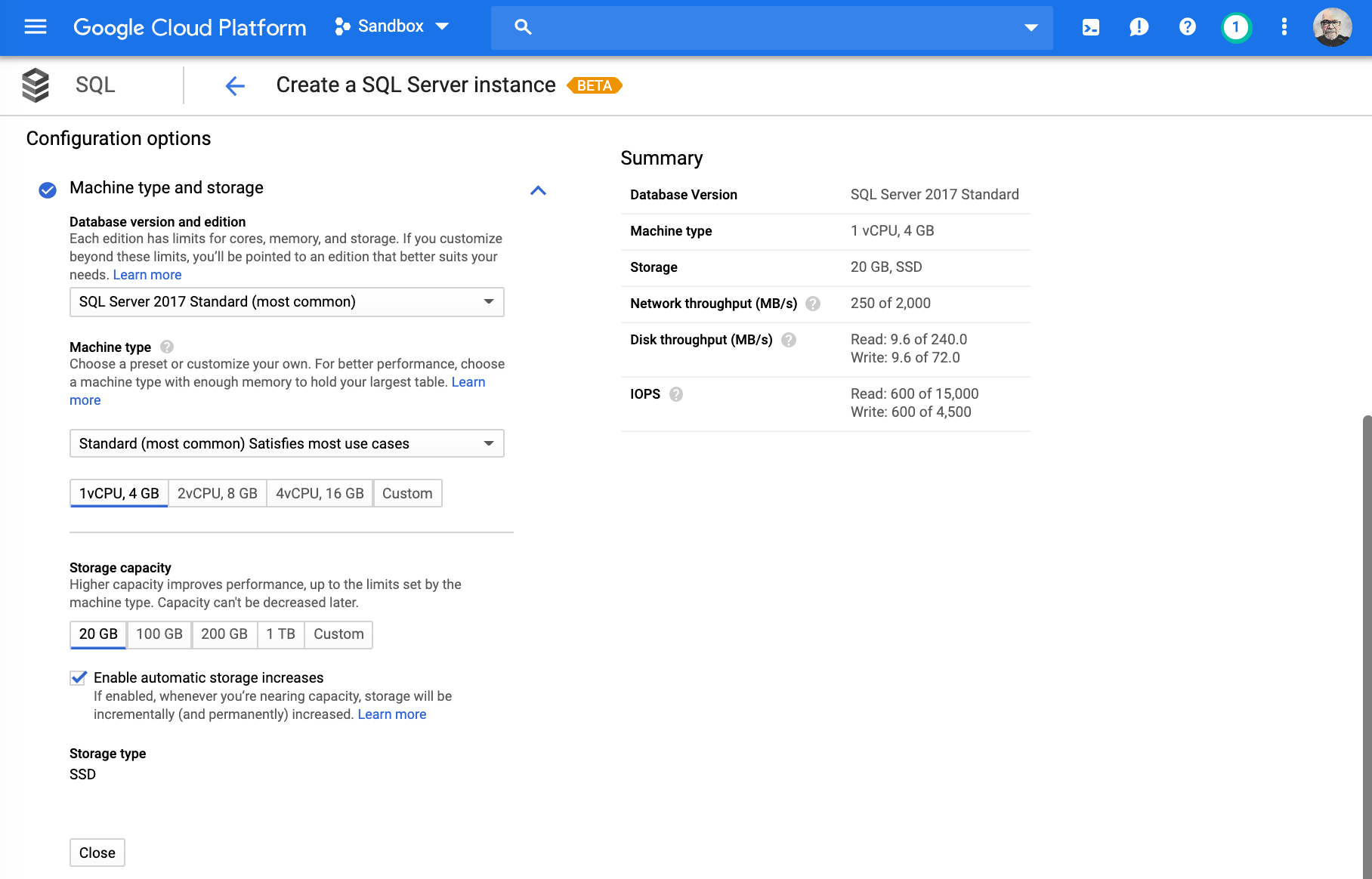
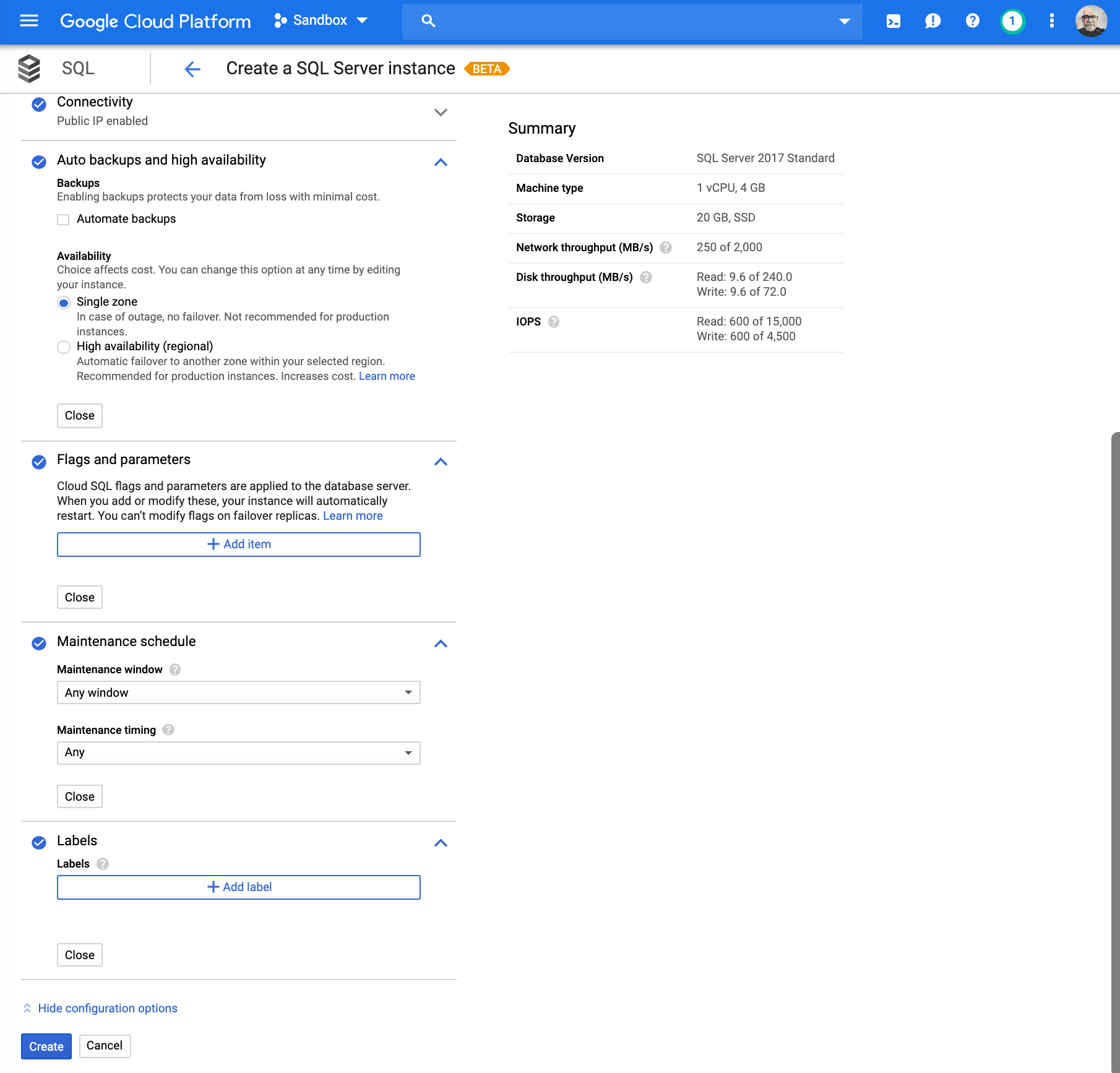
- Machine type and storage: This is where you would choose which database version and edition you would need. Machine type, compute needs and storage capacity. Accept default and select Close.
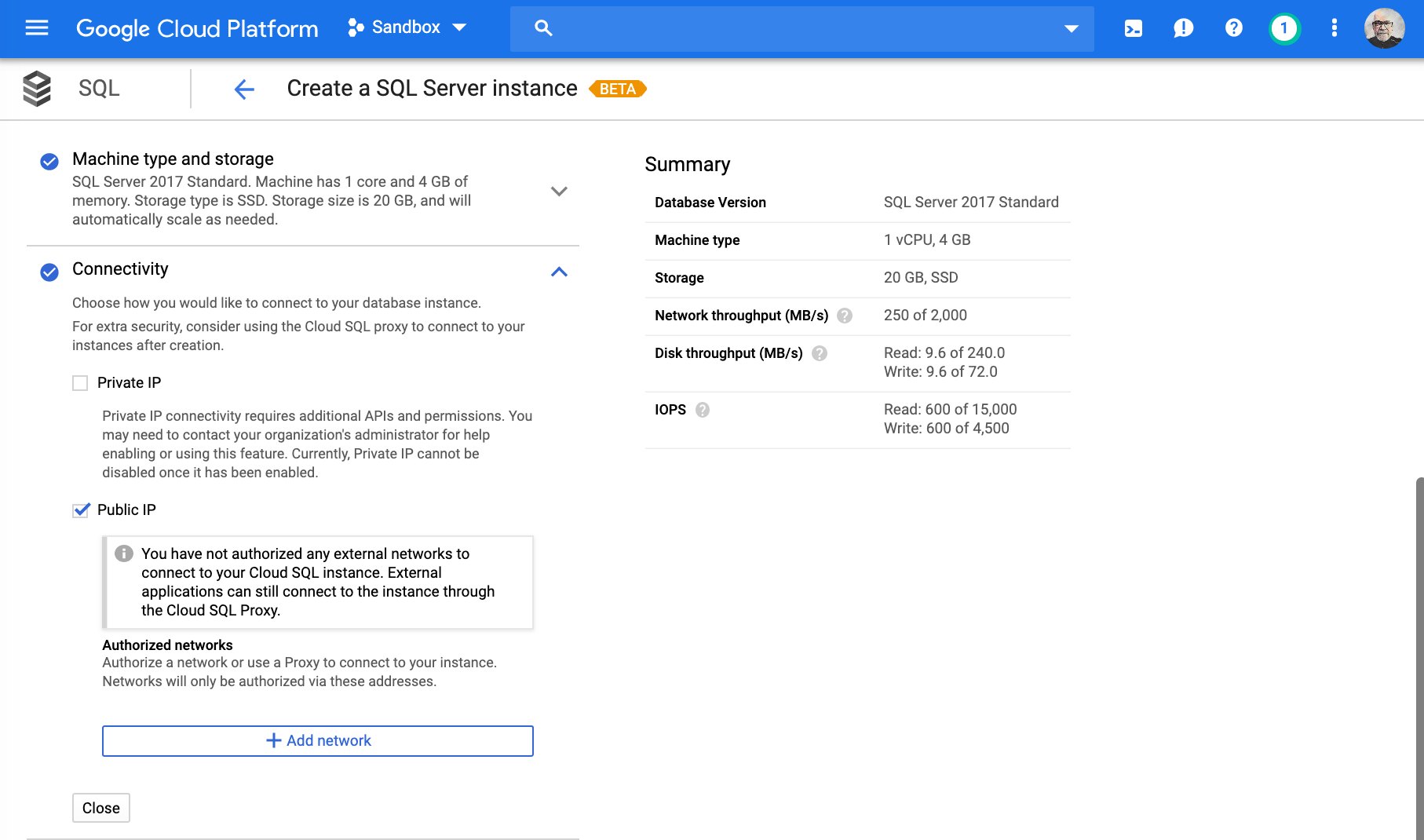
- Connectivity: This is where you would choose how to connect to your database instance. For now, I will use Public IP and will create a Cloud SQL Proxy later on to enable us to connect. Accept defaults and select Close.
- Auto backups and high availability: This is where you decide if you want to enable ‘Automate backups’, and if you wish to have High Availability (regional) coverage for your instance.
- Flags and parameters: Where you would choose and include Cloud SQL flag and parameters for your database server.
- Maintenance schedule: Maintenance window and timing selection
- Labels
Cloud SQL Proxy
The next step is for you to install the Cloud SQL Proxy. The Cloud SQL Proxy provides secure access to your Cloud SQL Second Generation instances without having to whitelist IP addresses or configure SSL. It's important to follow the steps outlined in the page Quickstart for using the proxy for local testing which shows you how to install and connect to Cloud SQL from a local test environment using the Cloud SQL Proxy. Connecting through the proxy enables you to test an App Engine application in your local environment, or establish a secure connection for database administration. Steps you will need to perform:- Enable the Cloud SQL API.
- Install and authenticate the gcloud command-line tool.
- Install the Cloud SQL Proxy client on your local machine.
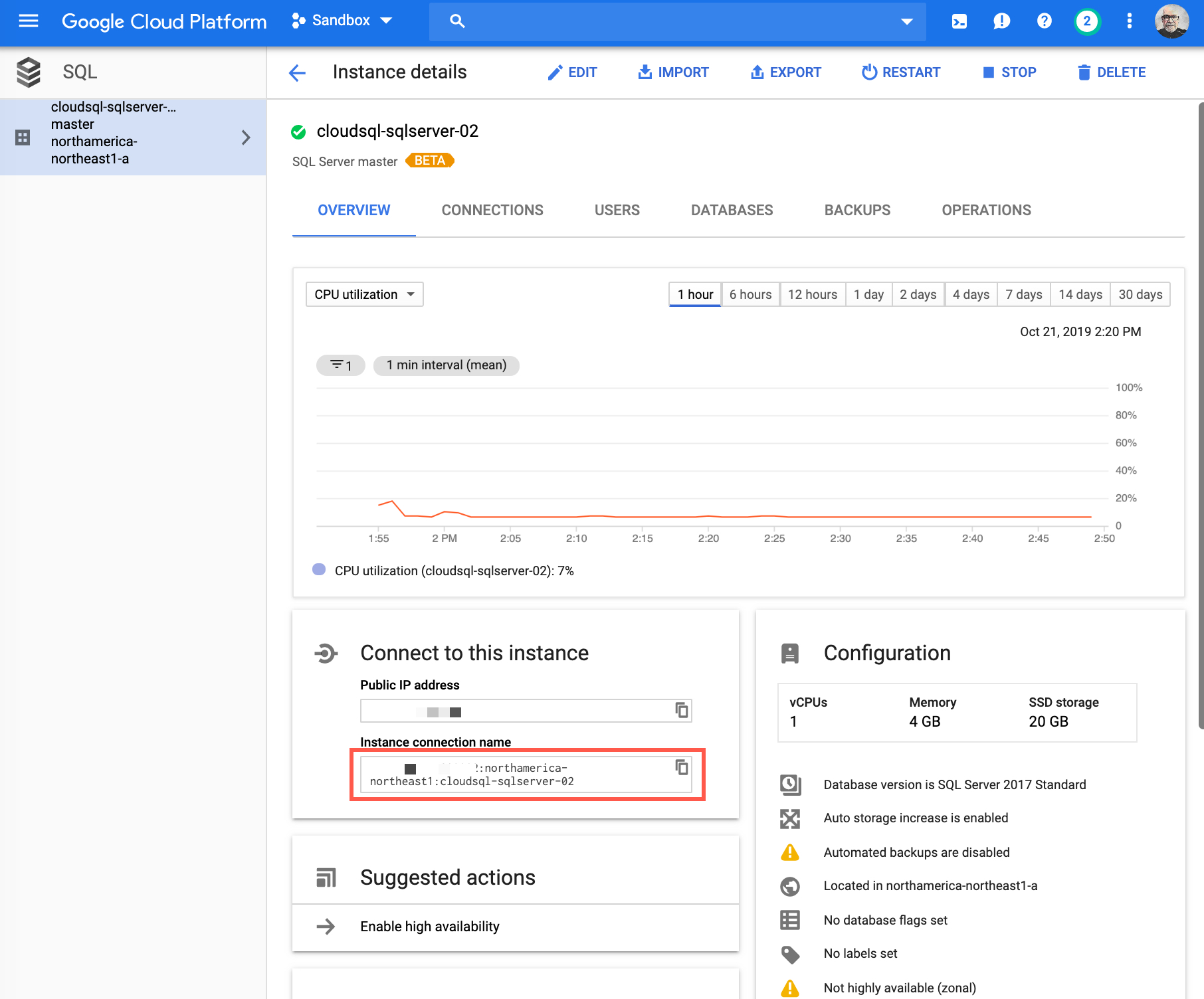
- Get the instance connection name (information copied earlier).
- Optional - Connect to your database using the sqlcmd client Connect to your instance (skip this step and use the following section Connecting to your SQL Server instance to connect).
Connecting to your SQL Server instance
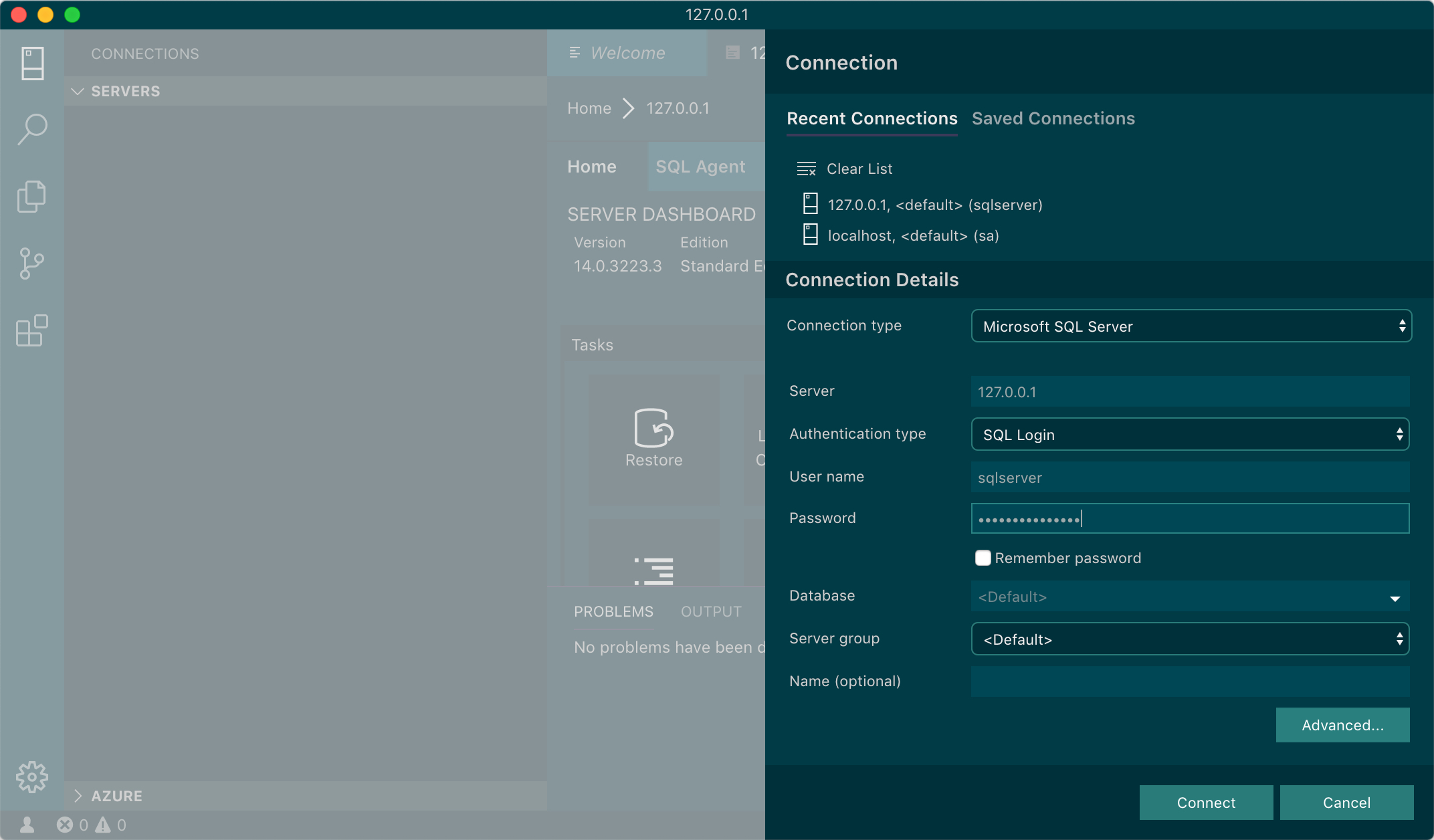
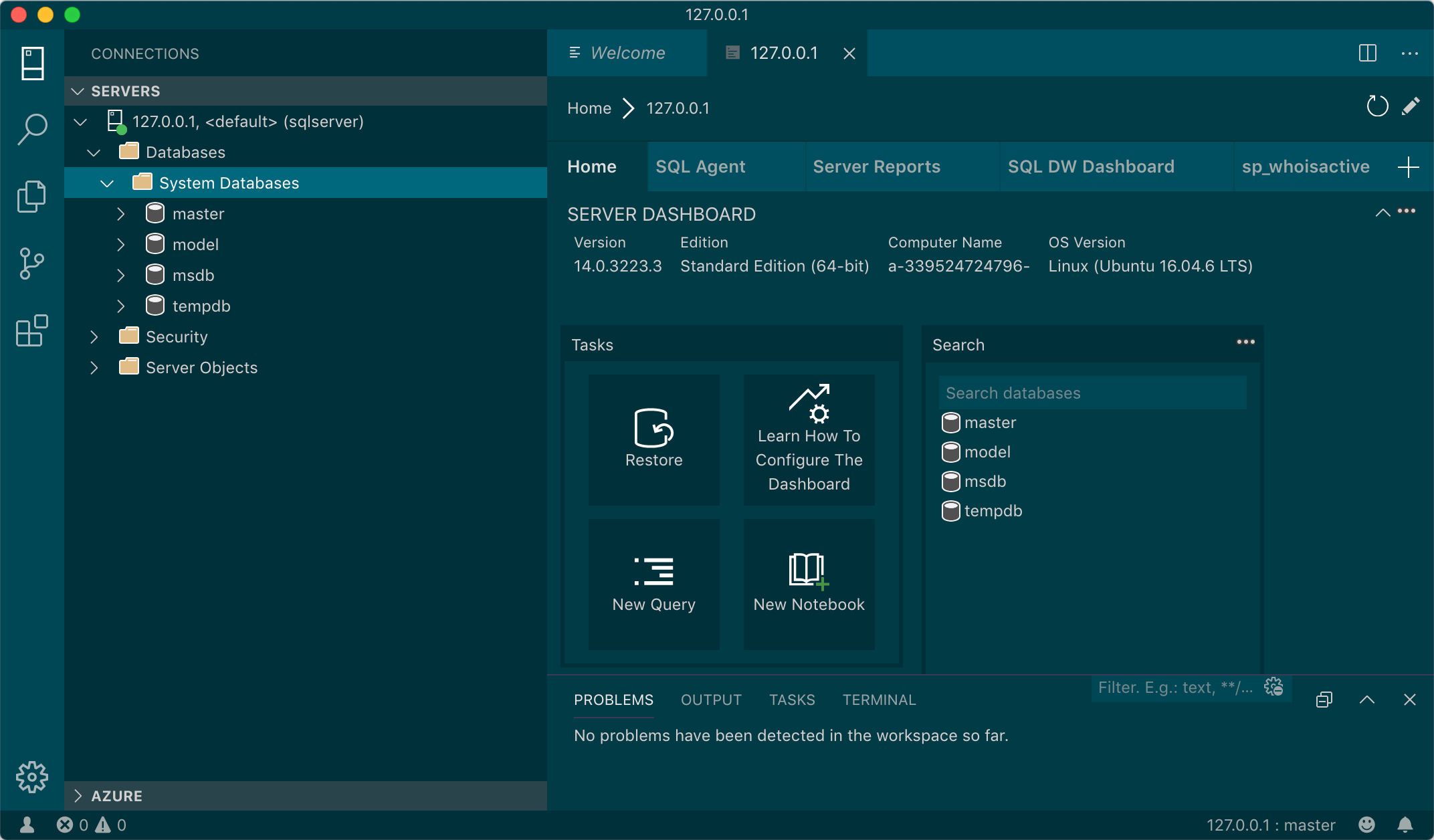
As outlined in the previous section, you can connect with sqlcmd, but you can also use other tools. Depending on which OS platform you are using, the following is a list of tools you can download and use to connect to your instance.- sqlcmd: Windows or Linux/macOS
- mssql-cli command line query tool for SQL Server
- SQL Server Management Studio (SSMS)
- Azure Data Studio
<INSTANCE_CONNECTION_NAME> with your
Instance connection name copied earlier, located on the Instance details page.
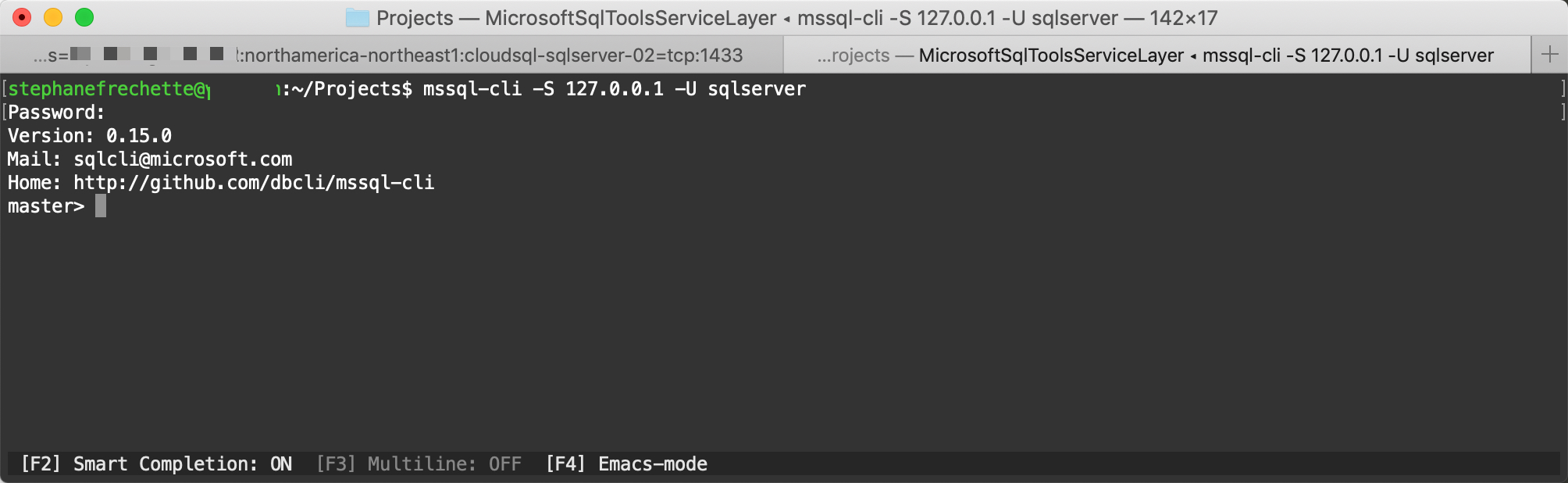
./cloud_sql_proxy -instances=<INSTANCE_CONNECTION_NAME>=tcp:1433

mssql-cli -S 127.0.0.1 -U sqlserver
On this page
Share this
Share this
Azure Backup for SQL Server public preview
![]()
Azure Backup for SQL Server public preview
Jun 5, 2018 12:00:00 AM
5
min read
How to Install a Clustered SQL Server 2012 Instance – Part 2
![]()
How to Install a Clustered SQL Server 2012 Instance – Part 2
Dec 17, 2013 12:00:00 AM
12
min read
Microsoft SQL Server on Linux – installation (Ubuntu)
![]()
Microsoft SQL Server on Linux – installation (Ubuntu)
Jan 16, 2018 12:00:00 AM
5
min read

.svg)
.svg)