


Benefits of ASMDU
A while ago, I posted a better "du" for asmcmd . Since then, Oracle 12cR2 beta has been released but it seems that our poor old "du" will not be improved. I then wrote a better "better du for asmcmd" with some cool new features compared to the previous one which was quite primitive.
In this second version you will find :
- No need to set up your environment, asmdu will do it for you
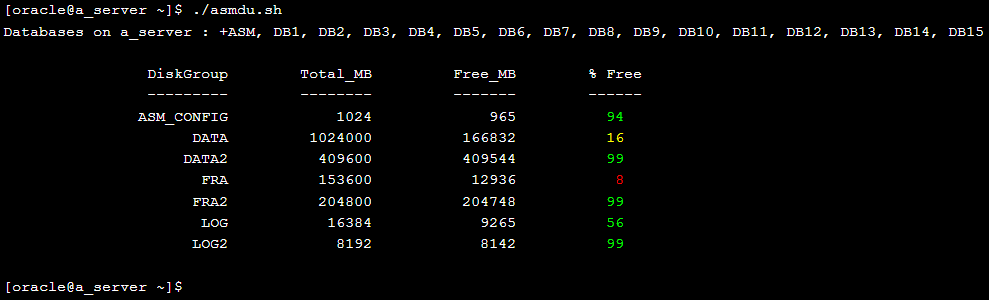
- If no parameter is passed to the script, asmdu will show you a summary of all the diskgroups :
- If a parameter (a diskgroup) is passed to the script, asmdu will show you a summary of the diskgroup size with its filling rate and the list of the directories it contains with their sizes :
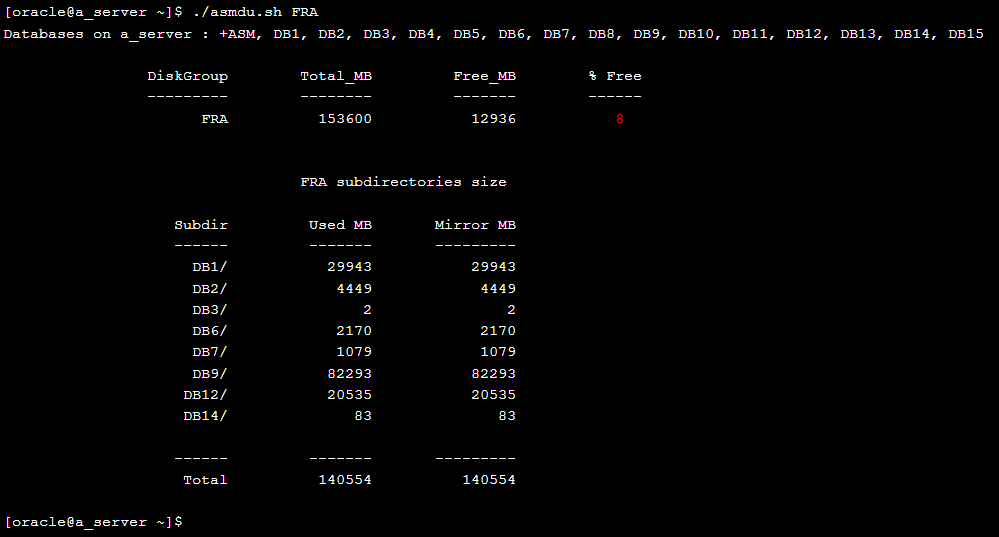
Note : you can quickly see in this screenshot that "DB9" consumes the most space in the FRA diskgroup; it is perhaps worth to have a closer look
- You can also pass a directory as a parameter and asmdu will then show you the size of each of its subdirectories -- it is useful to quickly see which day has been archivelog intensive as well as finding that there's no archivelog backup for a database as you will find old archivelog directories and more...
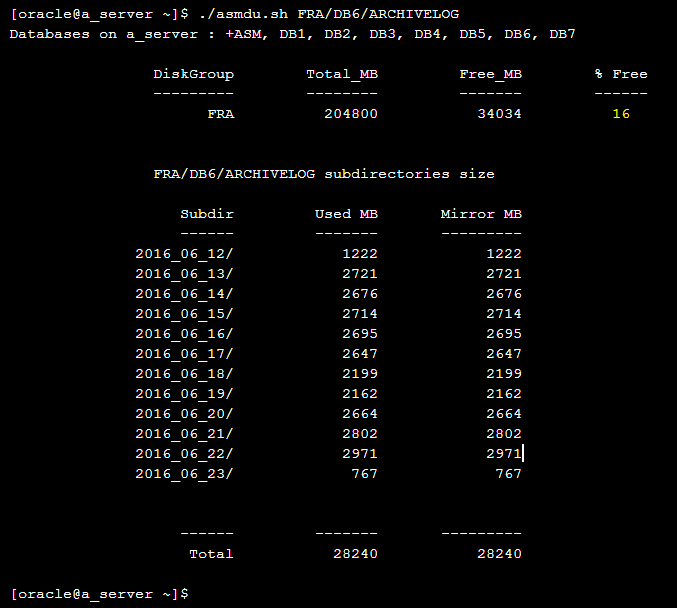
- A list of all running instances on the server is now shown on top of the asmdu output; I found that handy to have that list here
- I also put some colored thresholds (red, yellow and green) to be able to quickly see which diskgroup has a space issue; you can modify it easily in the script :
- The only pre-requisite is that oraenv has to work
You can find the code here. We use it a lot in my team and found no issue with the script so far. Let me know if you find one and enjoy!
Oracle Database Consulting Services
Ready to optimize your Oracle Database for the future?
On this page
Share this
Share this
Why is my Forms 12c Application so slow?
![]()
Why is my Forms 12c Application so slow?
May 14, 2018, 12:00:00 AM
6
min read
How to Install Oracle 12c RAC: A Step-by-Step Guide
![]()
How to Install Oracle 12c RAC: A Step-by-Step Guide
Jun 27, 2013, 12:00:00 AM
2
min read
Duplication: divide et impera
![]()
Duplication: divide et impera
Sep 19, 2013, 12:00:00 AM
2
min read

.svg)
.svg)