


- Prepare source (EC2 Postgres) for database migration service
- Prepare target (RDS Postgres) for database migration service
- Set up DMS for full load or full load + replication data transfer from source to target
Proof Of Concept
Assumptions and Prerequisites:- Source at EC2 Postgres version 9.5.21 & target at RDS Postgres version 9.5.21
- Source has primary keys on all tables
- Superuser access on both source and target Postgres environment
# Replication Instance
 host all all 12.3.4.56/00 md5
 # Allow replication connections from localhost, by a user with the
 # replication privilege.
 host replication dms 12.3.4.56/00 md5
1b. Set the following parameters and values in the postgresql.conf configuration file:
- Set wal_level = logical
- Set max_replication_slots to a value greater than 1. The max_replication_slots value should be set according to the number of tasks that you want to run. For example, to run five tasks you need to set a minimum of five slots. Slots open automatically as soon as a task starts and remain open even when the task is no longer running. You need to manually delete open slots.
- Set max_wal_senders to a value greater than 1. The max_wal_senders parameter sets the number of concurrent tasks that can run.
- Set wal_sender_timeout =0. The wal_sender_timeout parameter terminates replication connections that are inactive longer than the specified number of milliseconds. Although the default is 60 seconds, we recommend that you set this parameter to zero, which disables the timeout mechanism.
- Temporarily disable all triggers from the instance, and finish the full load
- Use the
session_replication_roleparameter in PostgreSQL.
Alter system set session_replication_role='replica';
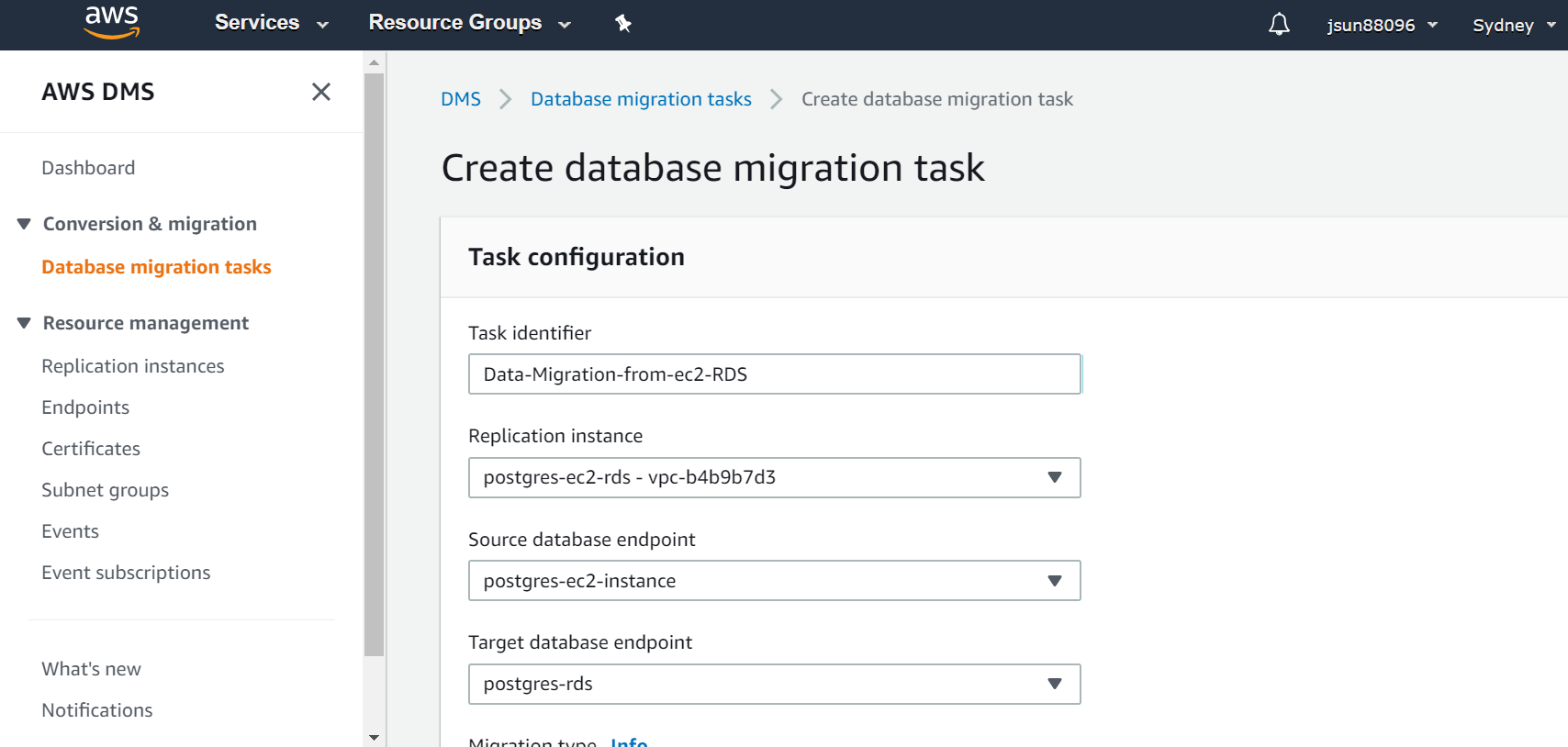
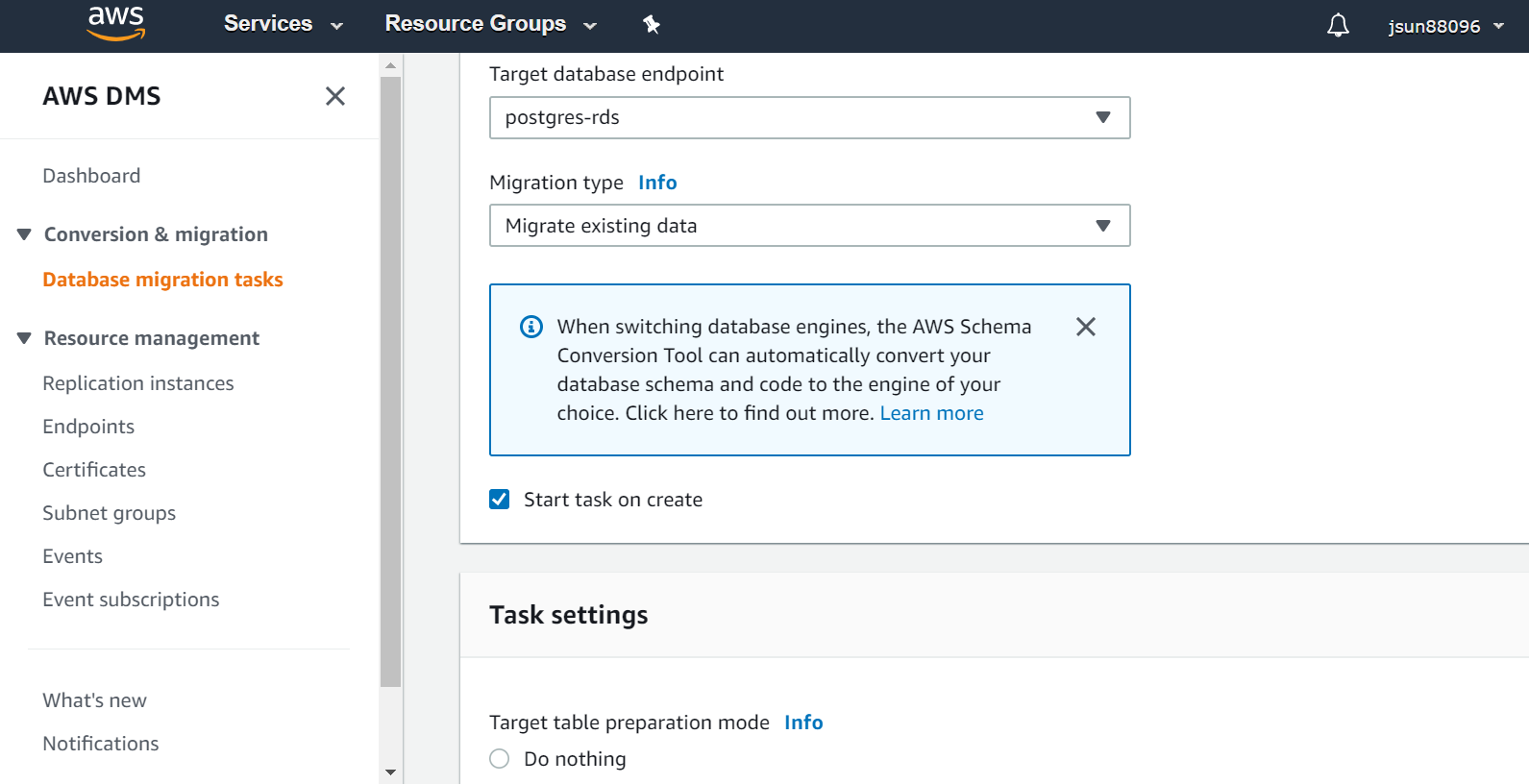
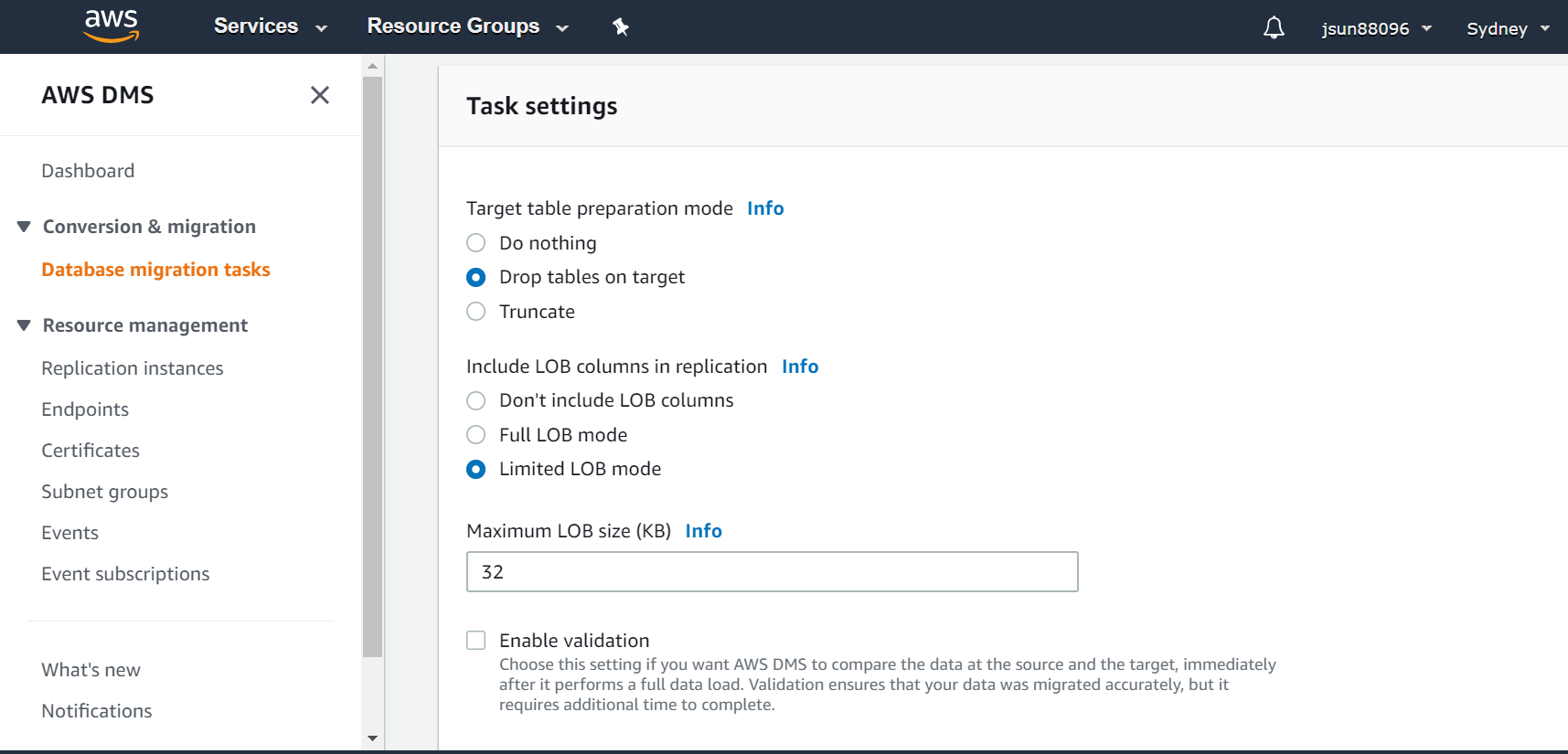
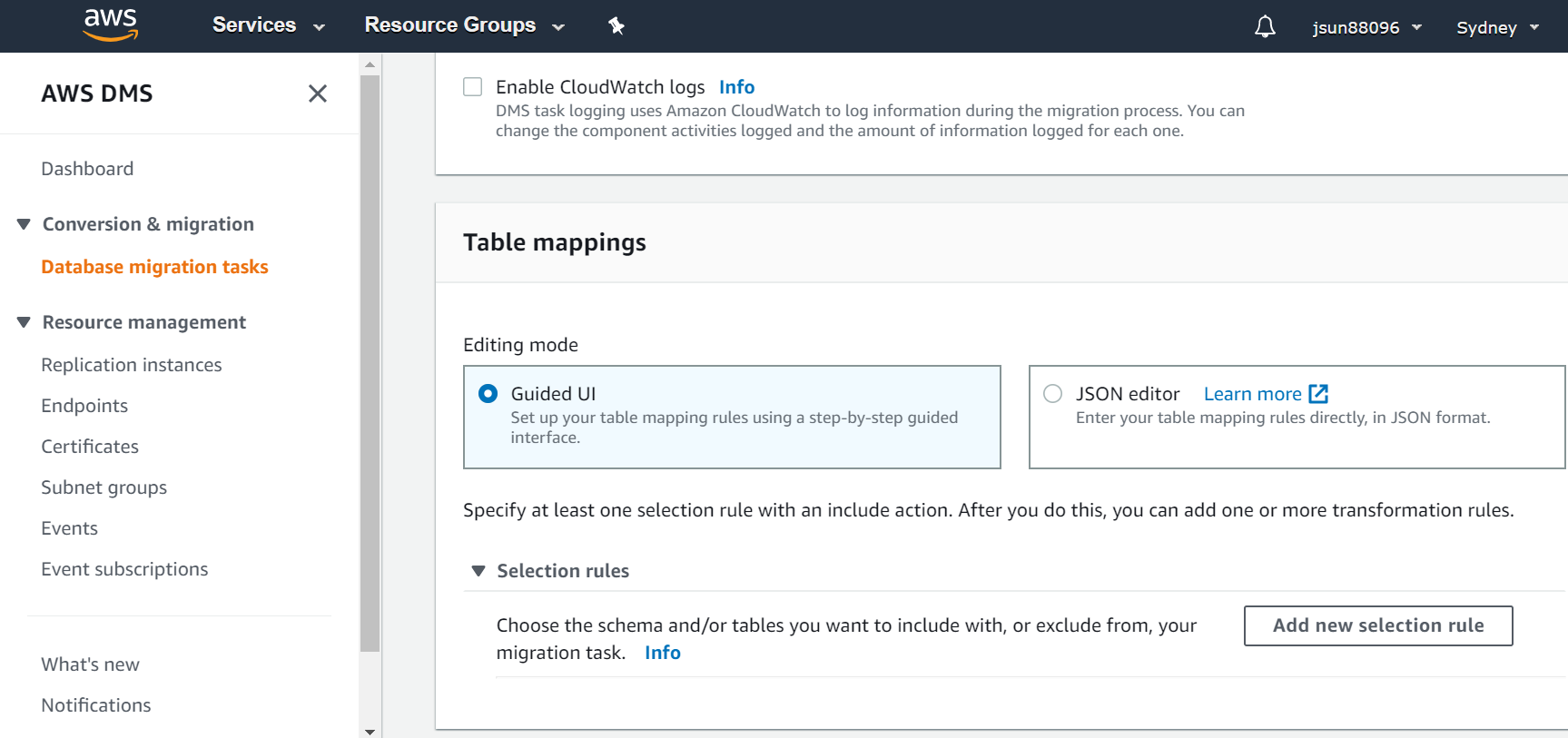
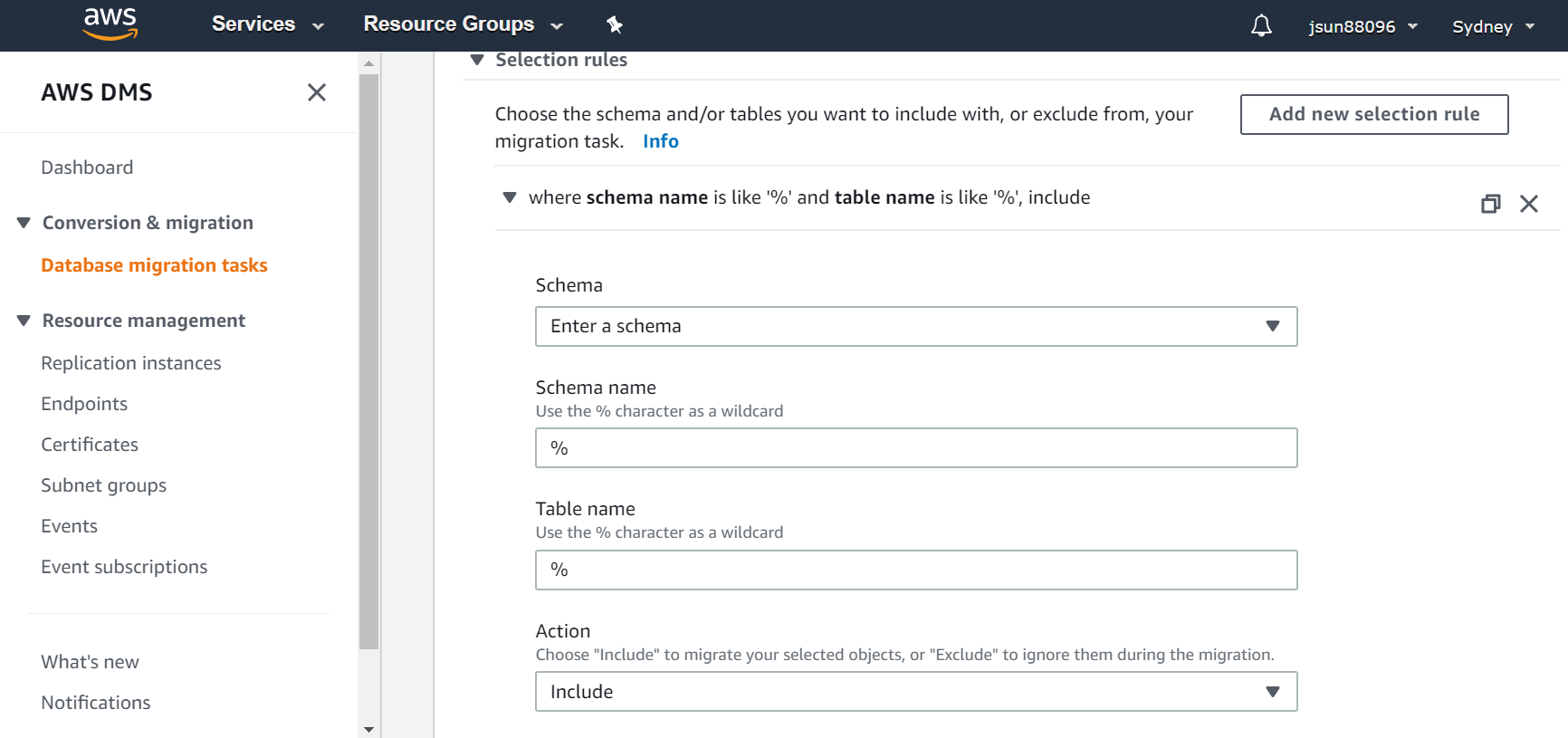
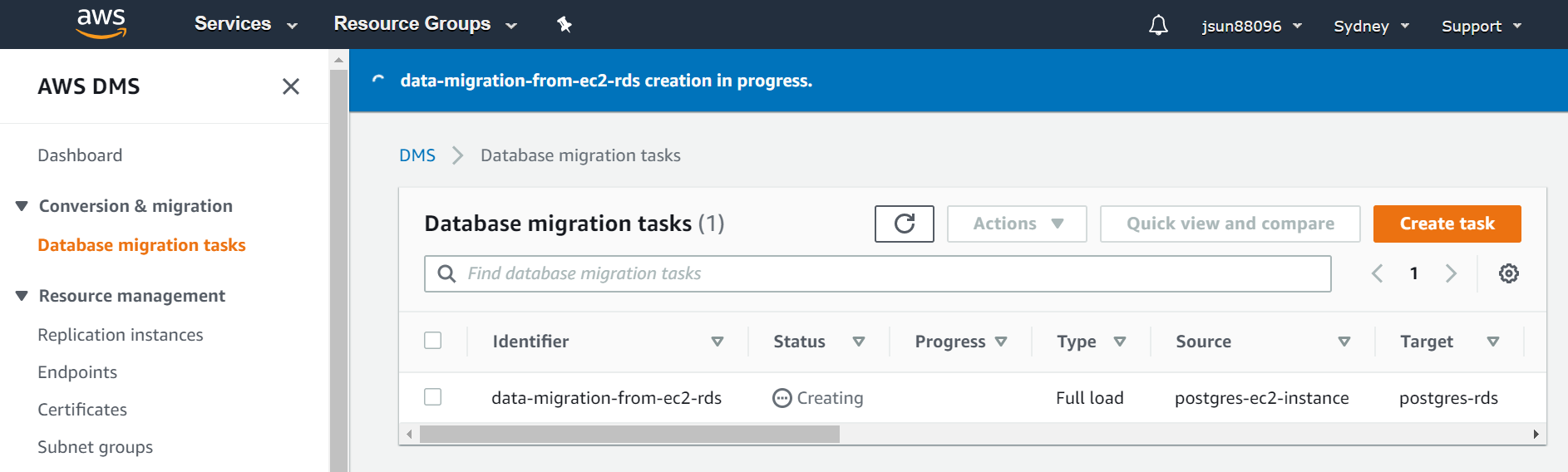
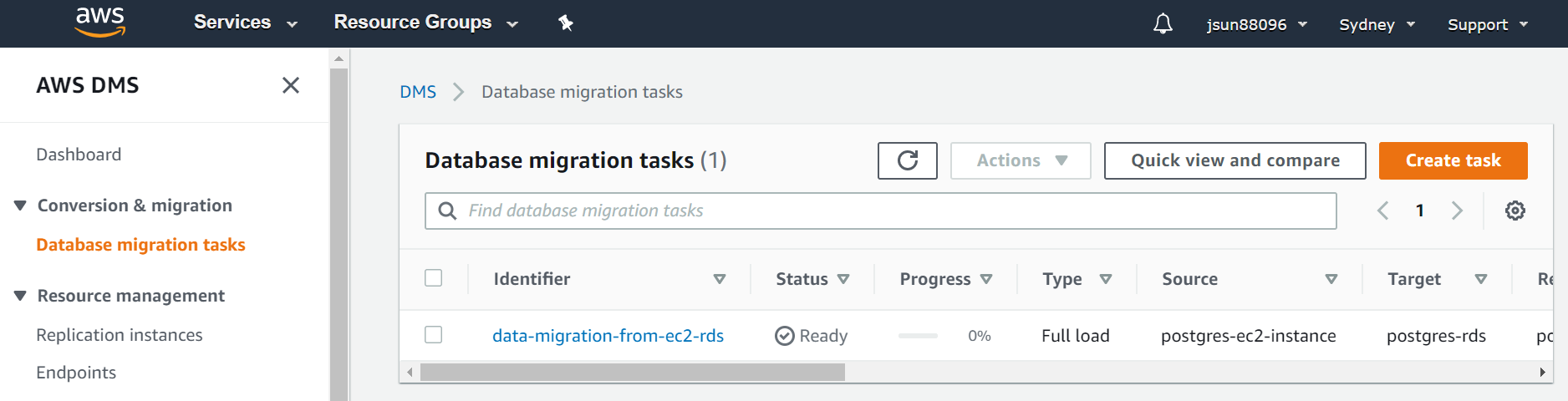
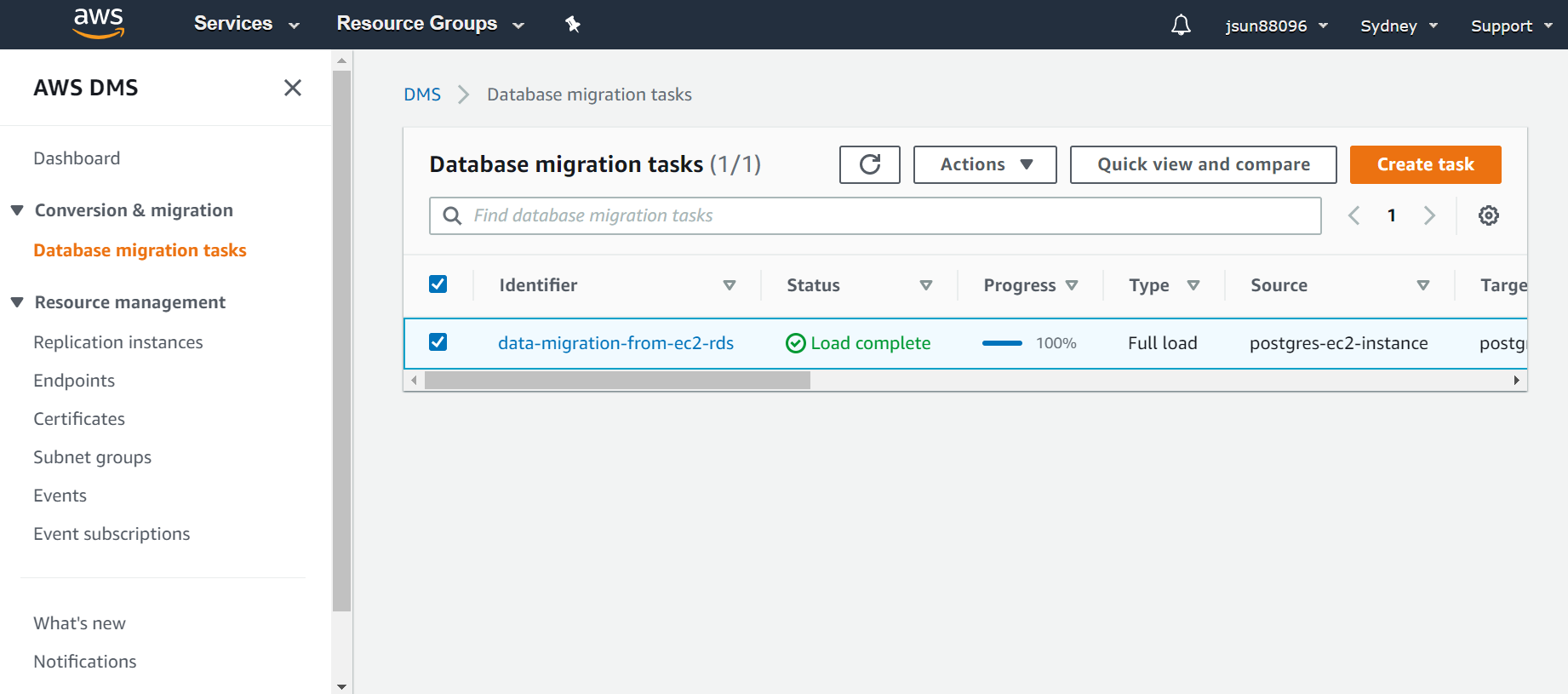
3. Setup DMS for (full load) or (full load + replication) data transfer between source and target Following is the setup for demonstration of full load data transfer with a sample database of Postgres version 9.5.21 (source and target) 3a. Create and setup replication instance
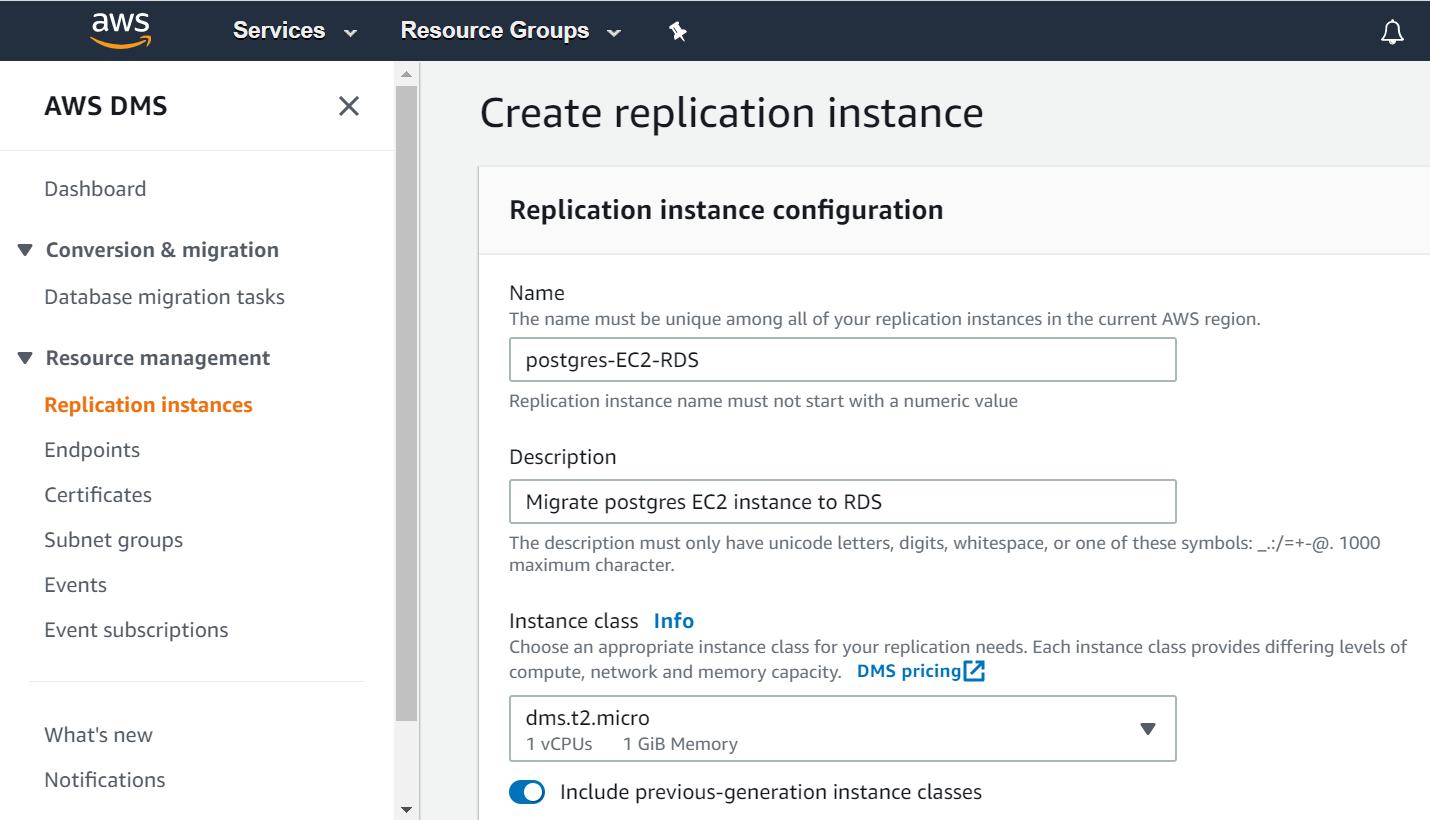
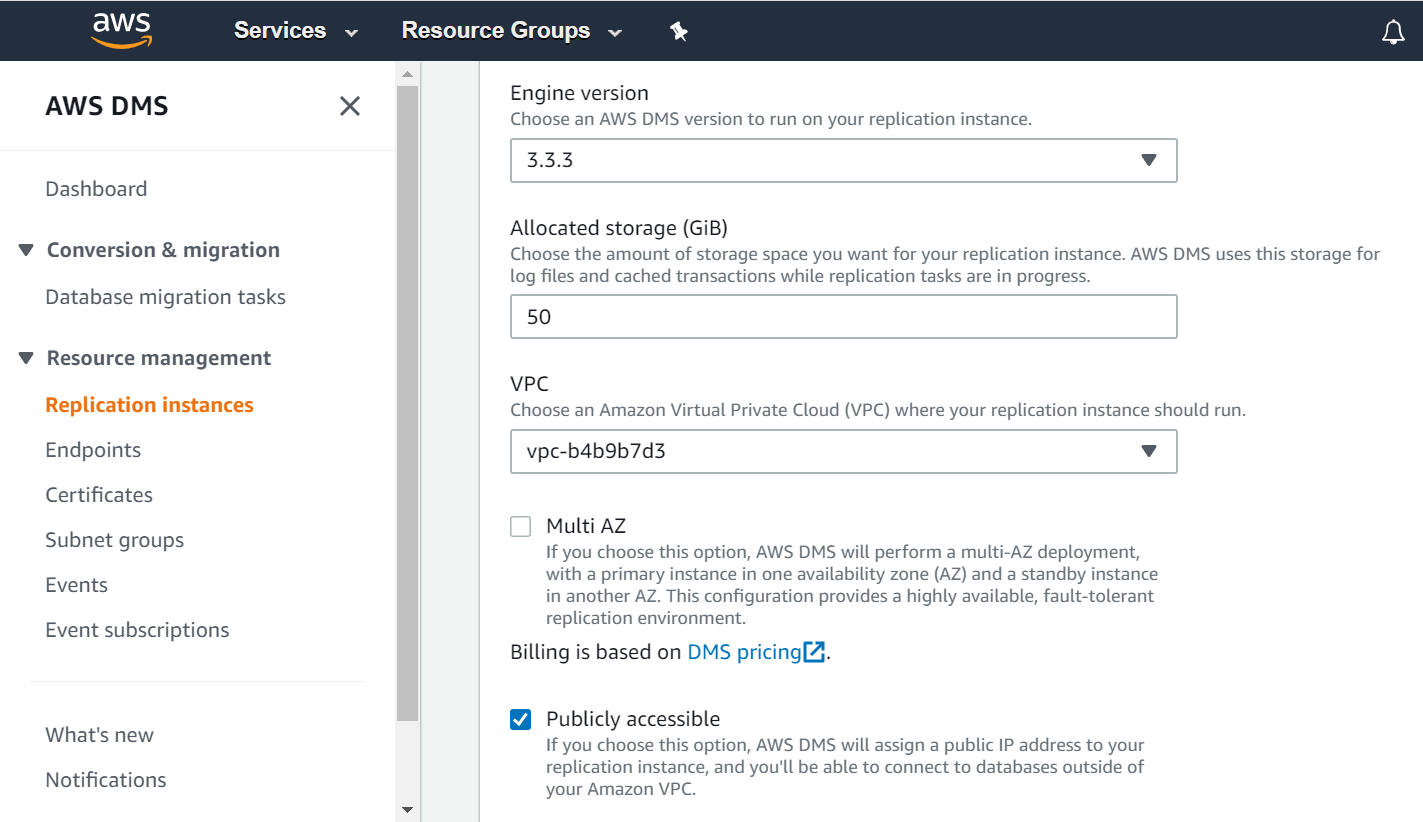
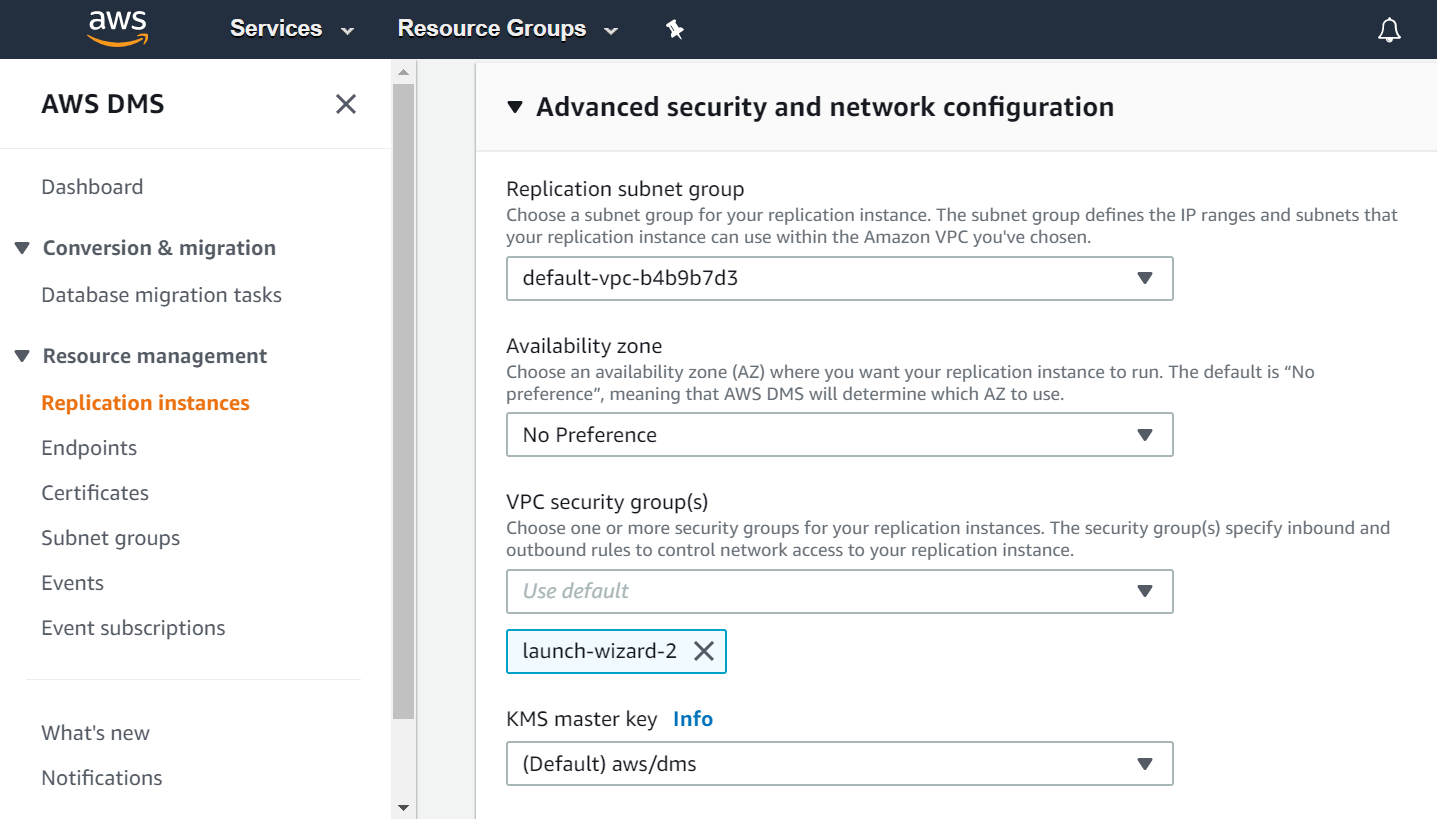
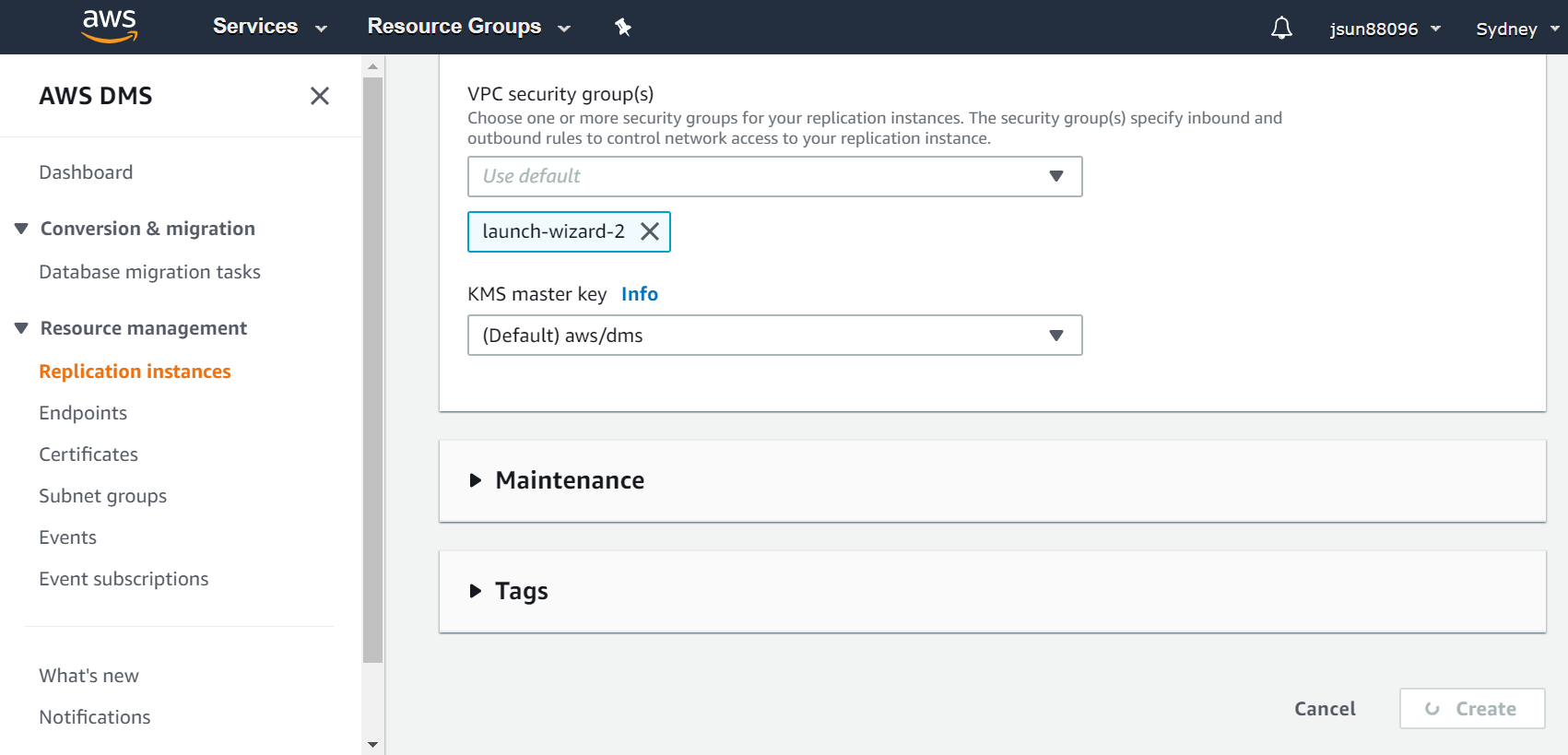
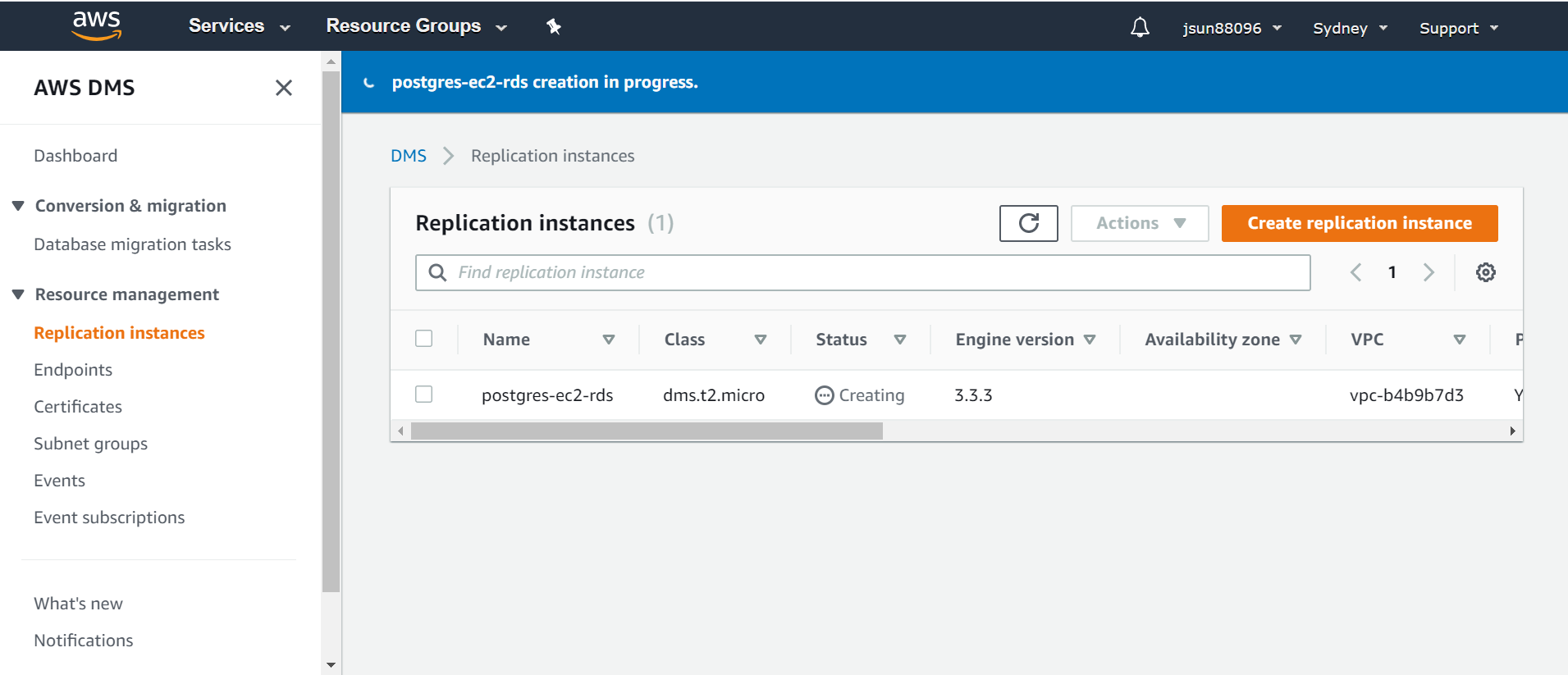
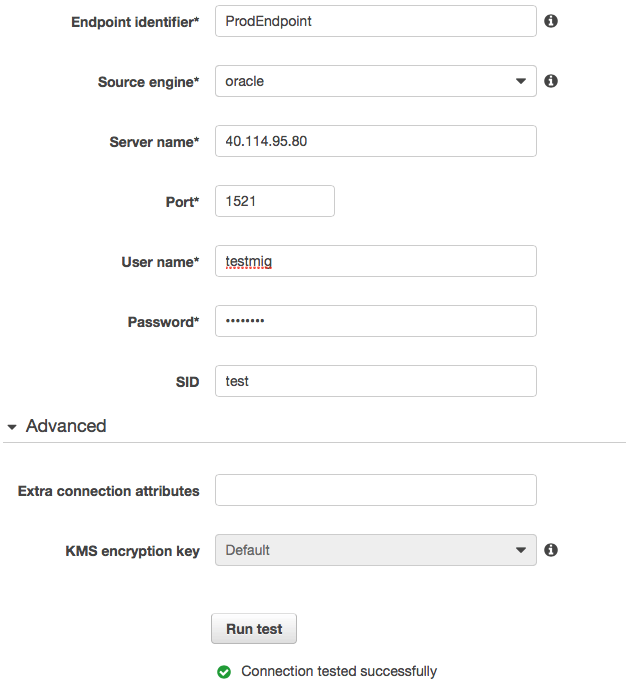
3b. Create and setup source endpoint
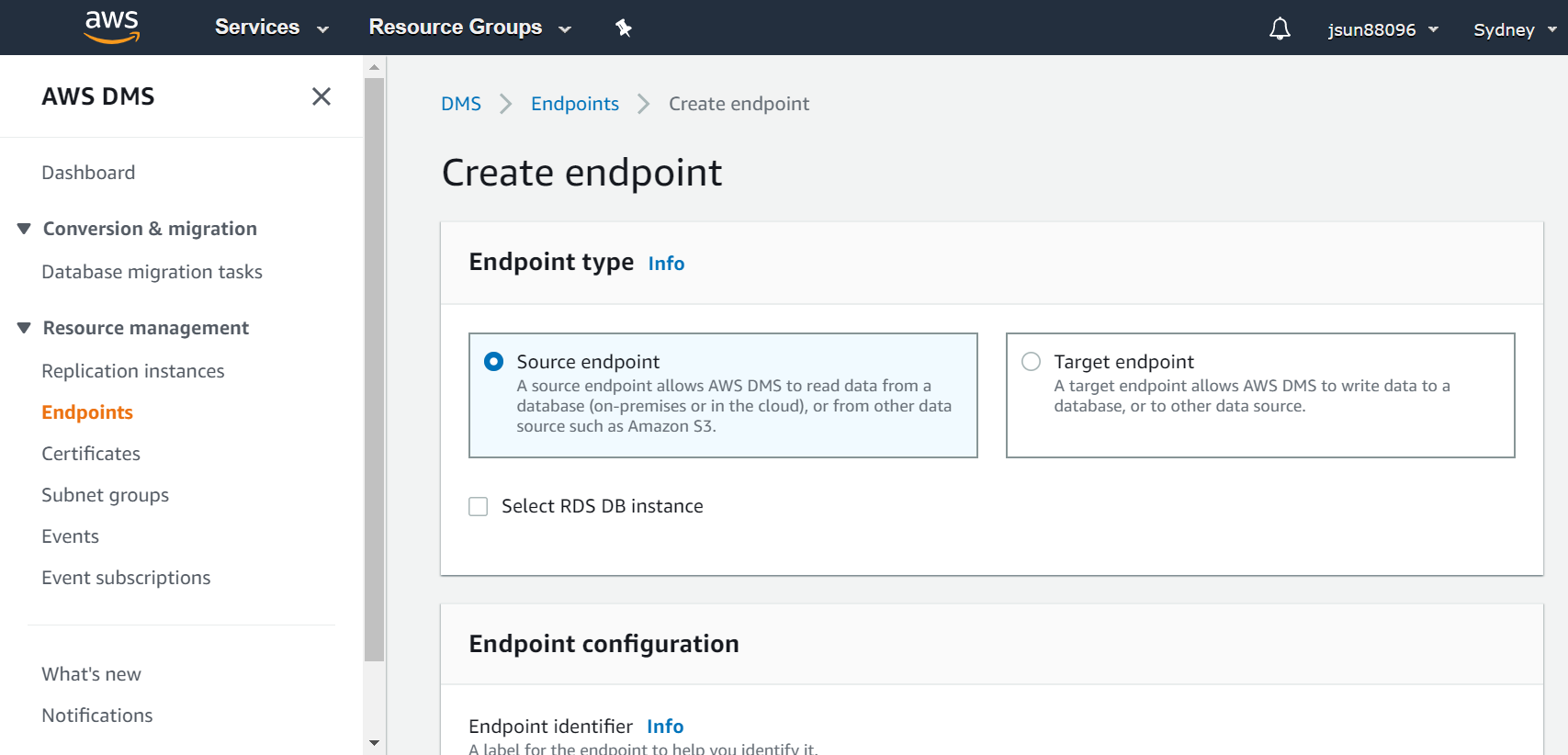
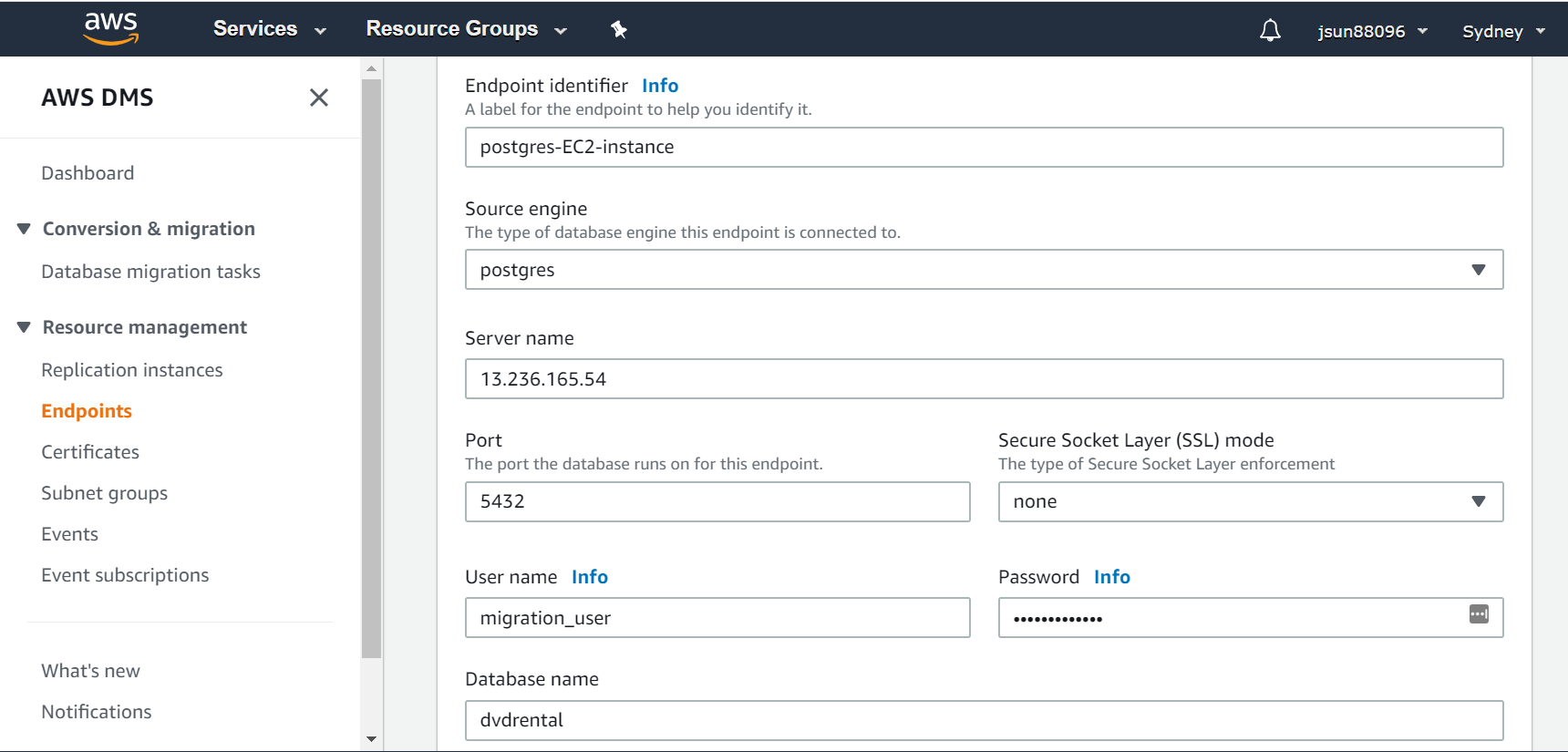
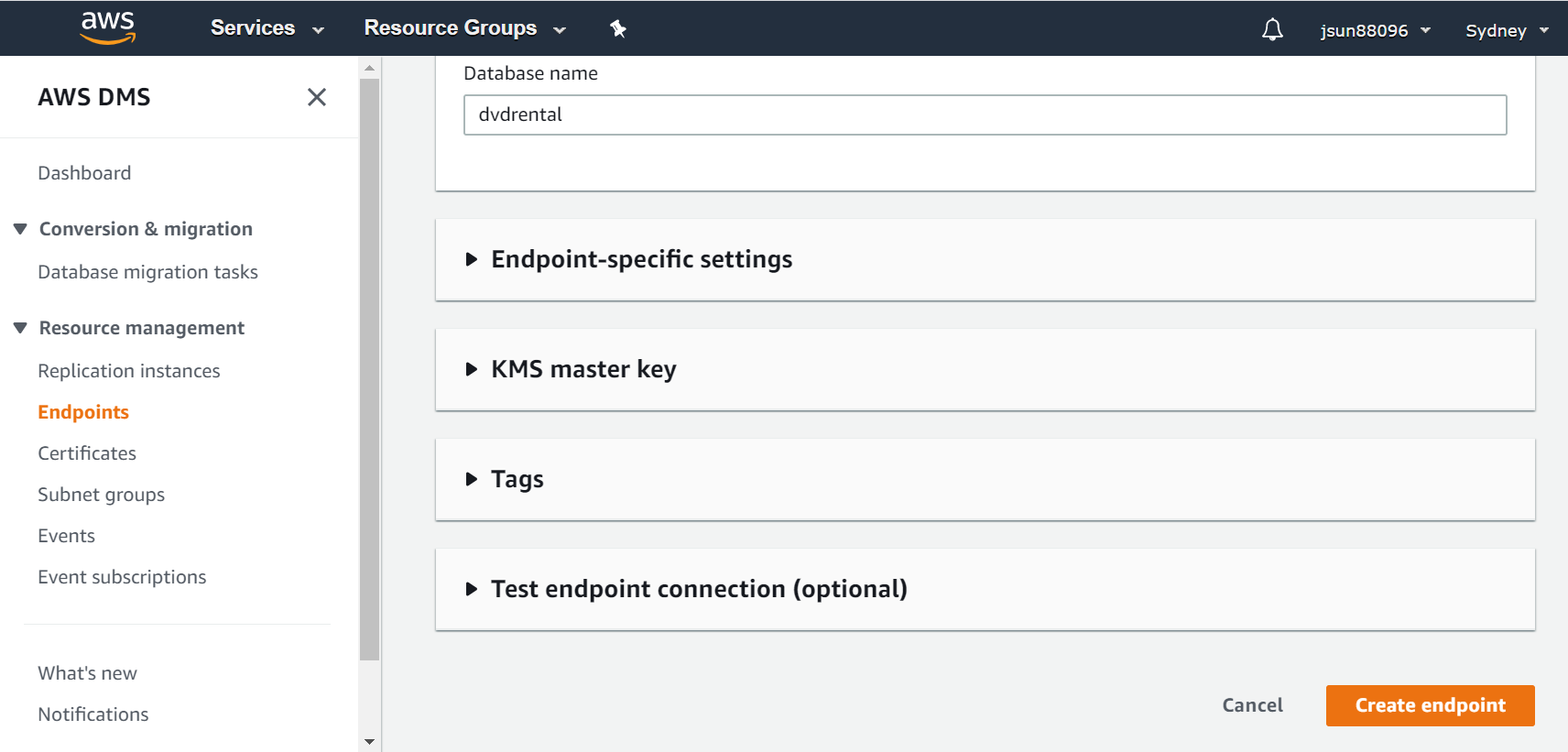
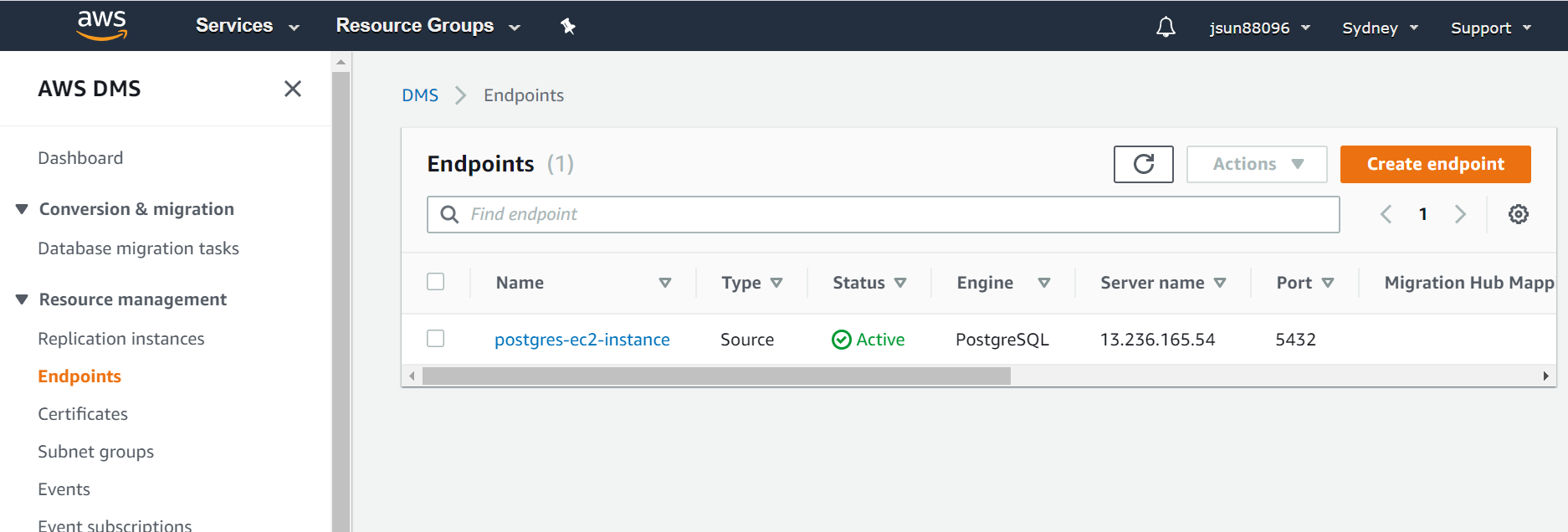
3c. Create and set up target endpoint
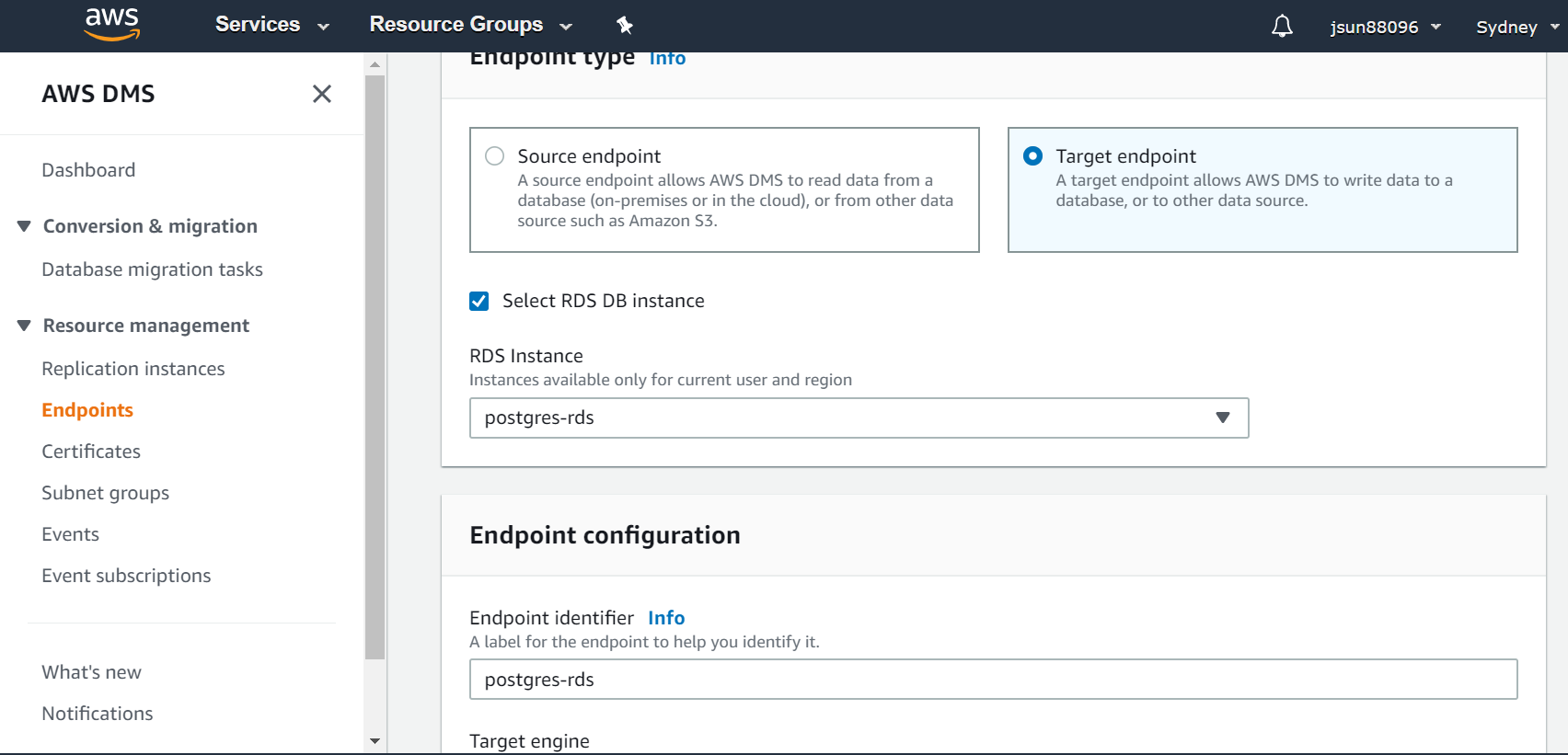
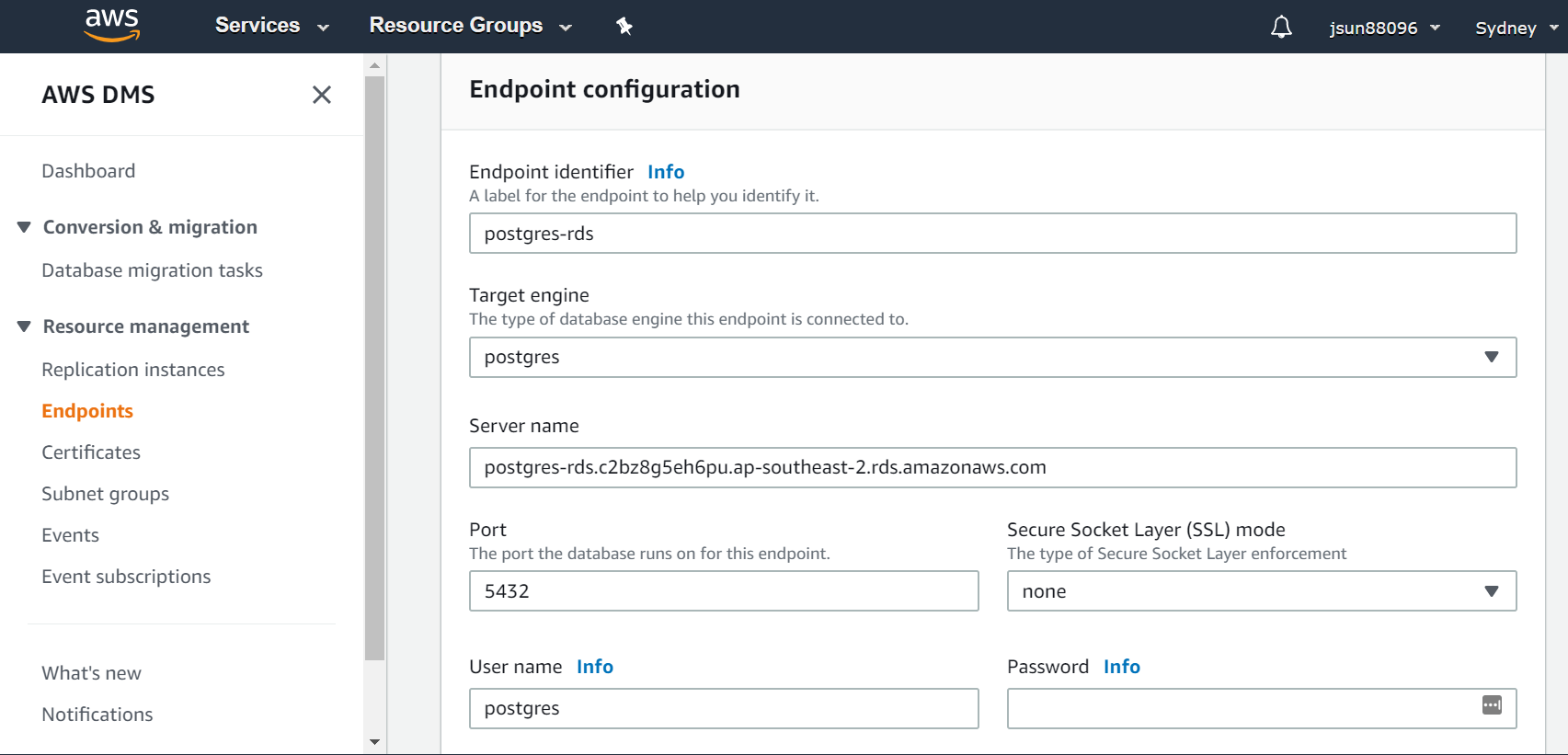
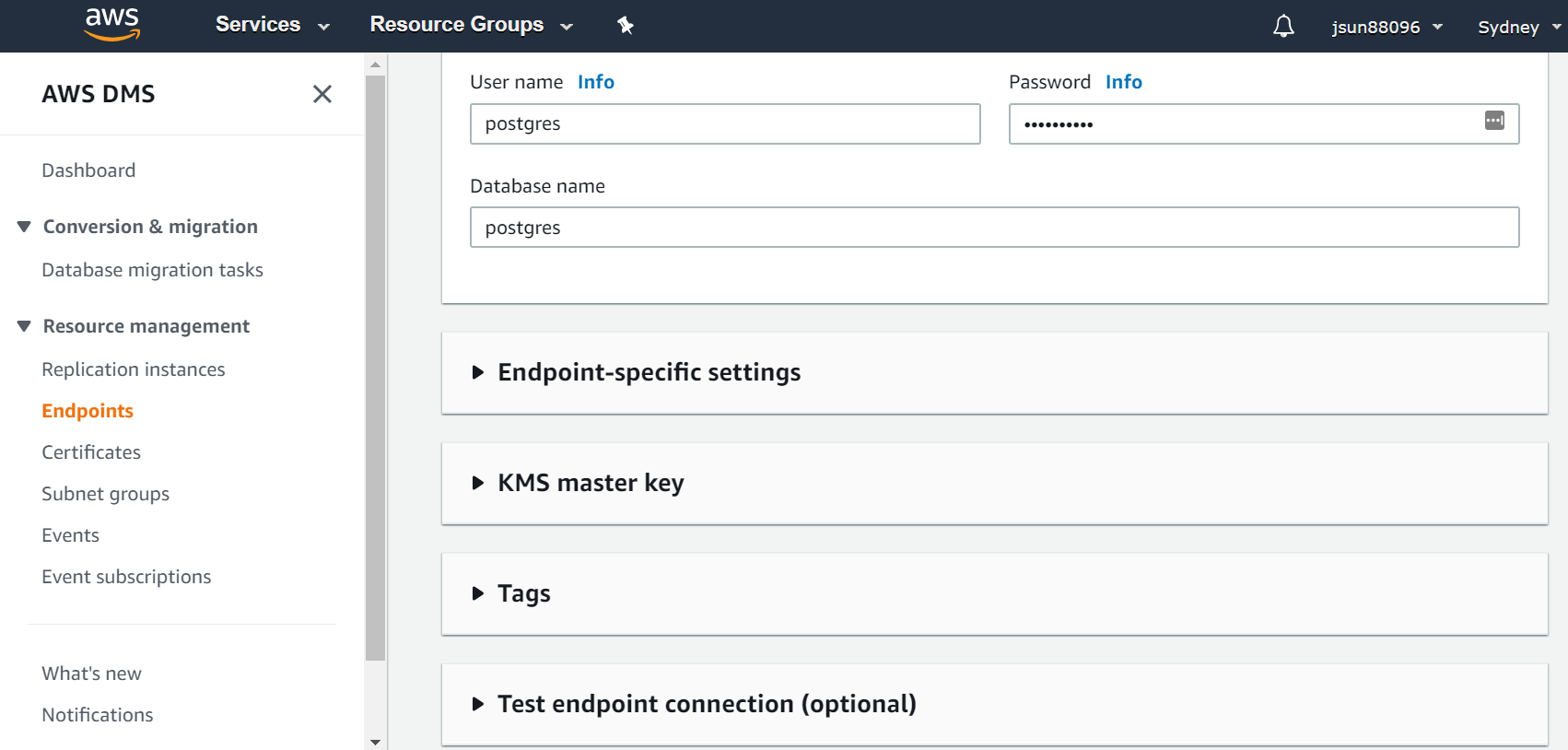
3d. Create, setup and run migration task
Limitations for DMS:
There are multiple limitations with different versions of Postgres, the following docs will help to identify the issue and mitigate it before running the migration. Source & Target limitations https://docs.aws.amazon.com/dms/latest/userguide/CHAP_Source.PostgreSQL.html#CHAP_Source.PostgreSQL.Limitations https://docs.aws.amazon.com/dms/latest/userguide/CHAP_Target.PostgreSQL.html#CHAP_Target.PostgreSQL.Limitations
Data Migration Consulting Services
Ready to optimize your Data Migration for the future?
Share this
Share this
Database migration using Apache NiFi
Amazon database migration service - first try


.svg)
.svg)