


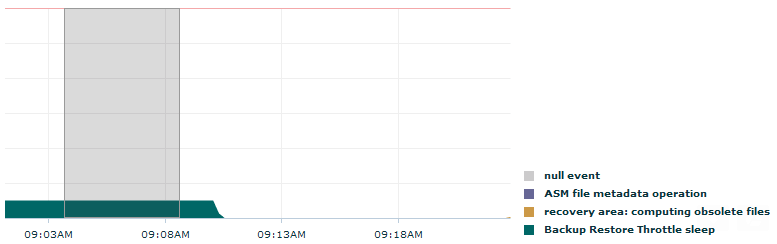
After migrating a 10g database to 11g, I asked the Application team to start their tests in order to validate that everything was working as expected. I decided to keep an eye on OEM’s Top Activity page while they were running the most mportant job. I already knew what kind of "colors" I would find because I had checked its behavior in the former version. Suddenly, a strange kind of wait appeared on my screen: it was my first encounter with Backup Restore Throttle Speed.
The Mystery: An Unexpected Wait Event
I had never seen this wait before. It was listed in a user's session so its name really confused me. No RMAN operations were running at that time. FRA was almost empty. I checked Oracle’s documentation and My Oracle Support. I found nothing but one Community post from 24-SEP-2013 with no conclusions.
In the meantime, the job ended and I got the confirmation that everything was well, even faster than in the old version. Weird, very weird.
The Investigation: Digging into the PL/SQL Code
It was time to review the PL/SQL code. After reading lots of lines, a function inside the package caught my attention:
Sleep (l_master_rec.QY_FIRST_WAIT_MIN * 60);
Since the job was using a log table to keep track of its execution, I was able to match the wait time with this function pretty quickly. This code was inside the function’s DDL:
for i in 1 .. trunc( seconds_to_sleep/600 ) loop sys.DBMS_BACKUP_RESTORE.SLEEP( 600 ); end loop; sys.DBMS_BACKUP_RESTORE.SLEEP( seconds_to_sleep-trunc(seconds_to_sleep/ 600)*600 ); The Conclusion: Decoding "Backup Restore Throttle Speed"
Finally I found the reason for this wait (and the explanation for its backup/restore related name): DBMS_BACKUP_RESTORE.SLEEP.
Why the Name is Misleading
As described in MOS note "How to Suspend Code Execution In a PL/SQL Application (Doc ID 1296382.1)”, the package was used to pause job's execution while waiting for another task to be finished. Lastly, it's worth noting that OEM did not graph this wait on the 10g database but it was always there.
Oracle Database Consulting Services
Ready to optimize your Oracle Database for the future?

.svg)
.svg)