



Migrating an Oracle Database is a critical operational endeavor requiring technical expertise, architectural creativity, and meticulous coordination. Whether driven by cloud adoption, hardware refresh cycles, operating system changes, chipset endianness shifts, database consolidation, or major version upgrades, successful database migrations depend on choosing the right strategy before execution begins.
Successful migration requires moving beyond tool-centric assumptions by starting with business and technical requirements, evaluating target architectures, and selecting the optimal migration technique—whether physical, logical, or a hybrid approach.
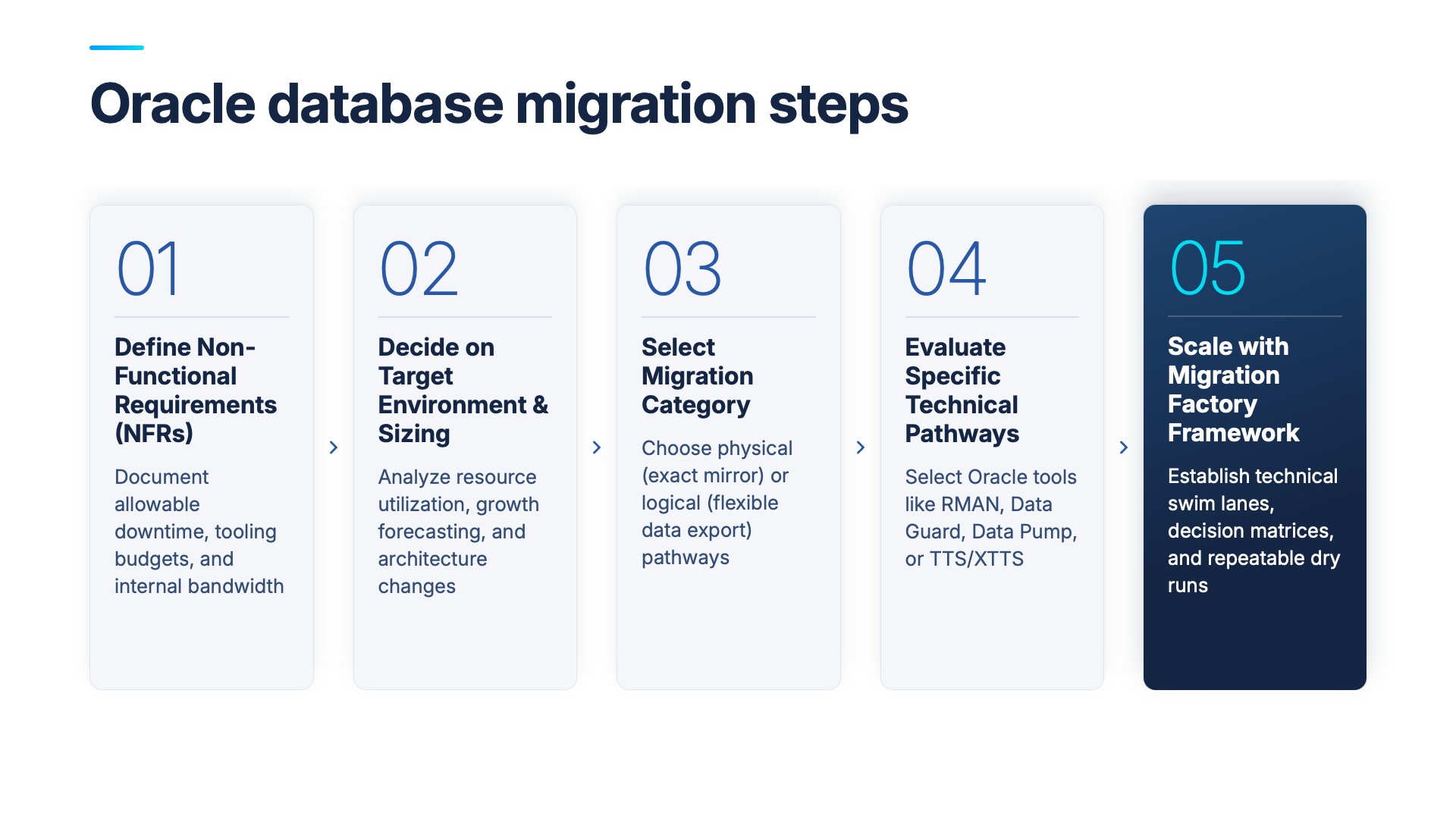
To help guide this decision, this post covers how to evaluate your non-functional requirements (NFRs), assess target hardware profiles, select the appropriate physical or logical migration path, and apply an enterprise factory framework to scale your database migration.
Define non-functional requirements to drive the migration strategy
Evaluating technical options begins with documenting non-functional requirements (NFRs). Well-defined NFRs narrow down technical alternatives, qualify or disqualify specific migration paths, and identify operational constraints early in the planning lifecycle.
Key non-functional requirements include:
- Allowable downtime. Determine the maximum maintenance window the database and dependent applications can afford.
- Mandatory architecture changes. Identify required target features, such as implementing Transparent Data Encryption (TDE) at rest.
- Tooling and licensing budgets. Assess whether budget exists for separately licensed, migration-specific tools or third-party replication software.
- Internal bandwidth and expertise. Evaluate whether internal technical staff have the bandwidth and specialized skill sets to design and execute the migration, or if external expert assistance is needed.
- Functional and performance testing rigor. Gauge the organization’s ability to run comprehensive application functional tests and capture quarter-over-quarter or year-over-year performance baselines.
- Fallback strategy requirements. Decide whether a strict fallback plan back to the source environment is required or if the team will move forward to resolve cutover issues.
- Execution scope and timelines. Establish project timeframes, the number of required dry runs, and whether non-production environments will be migrated directly or refreshed from post-migration production backups.
Finalize the target environment and hardware sizing
The destination platform requires careful analysis, especially when migrating across versions, changing database editions, or consolidating workloads. Existing hardware allocation is rarely an accurate indicator of post-migration target requirements. Environments may be over-provisioned, under-provisioned, or misconfigured for new cloud or engineered system architectures.
Key target sizing factors include:
- Actual resource utilization. Analyze real database resource utilization patterns on current hardware rather than relying on provisioned specs.
- Capacity and growth forecasting. Account for expected database data growth and transaction volume changes over the next 3–5 years.
- Consolidation and separation impacts. Measure how combining multiple databases (such as moving to Multitenant CDB/PDB architectures) or separating shared instances impacts system memory, CPU, and I/O concurrency.
- Architecture speed differentials. Factor in performance improvements when transitioning to newer hardware generations or engineered platforms like Oracle Exadata.
- Edition and version changes. Evaluate how shifting between database editions (e.g., Enterprise Edition to Standard Edition) or upgrading major versions alters parallelism, query optimization, and resource management.
Understand core technical migration categories: physical vs. logical
Technical migration alternatives fall into two primary categories: physical migrations and logical migrations. Advanced migration scenarios often require multi-step or hybrid approaches combining elements of both.
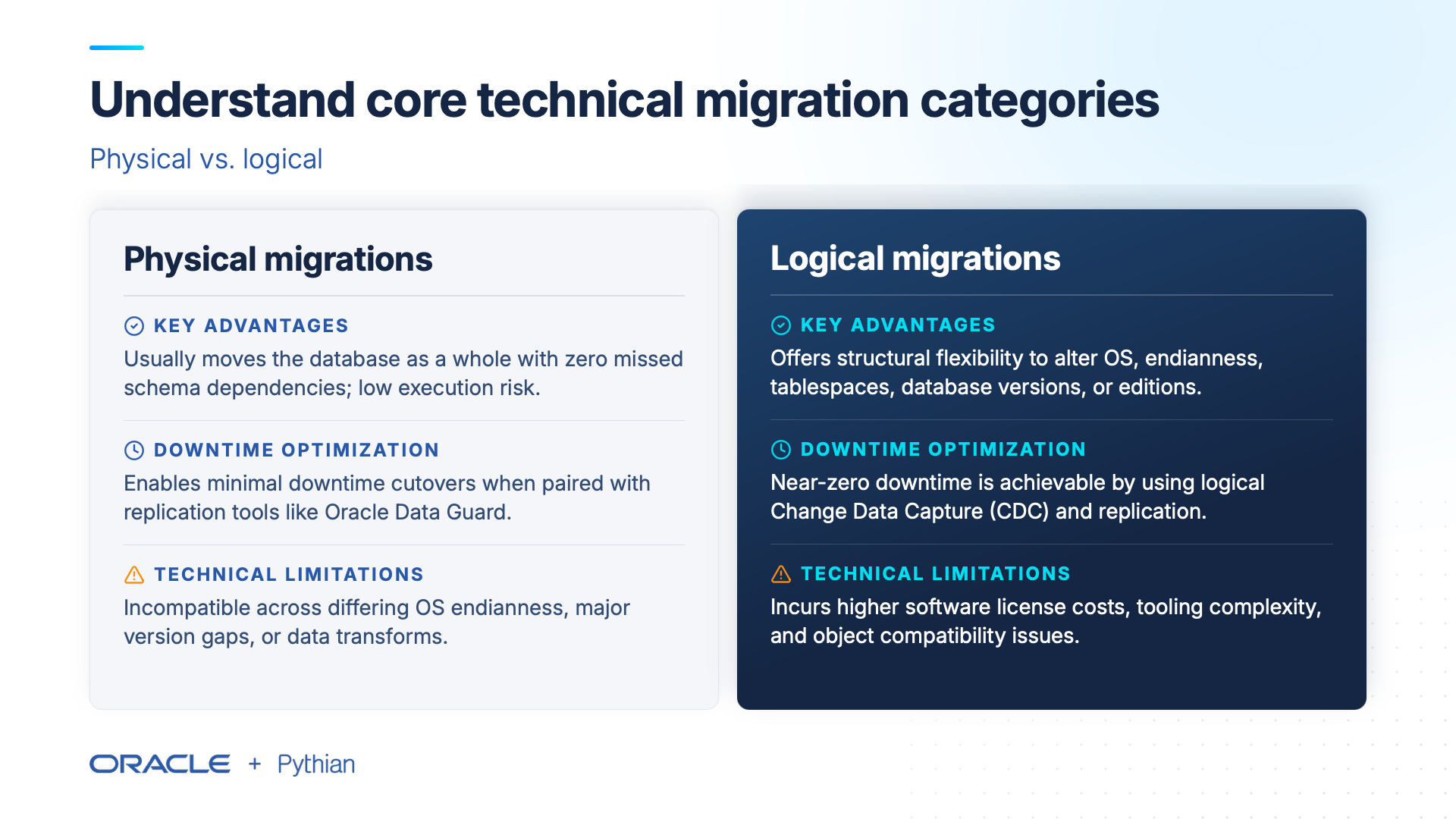
Physical migrations
Physical migrations execute a block-by-block copy of the database, creating an exact replica of the source environment.
- Key advantages. Physical migrations move the entire database as a unified whole, preventing schema objects, metadata, or dependencies from being missed. They are straightforward to implement and present low execution risk.
- Downtime optimization. Minimal downtime cutovers are achieved by pairing physical base copies with physical replication technologies, such as Oracle Data Guard.
- Technical limitations. Physical migrations are generally not feasible when source and target operating systems differ in chipset endianness, when moving across widely disparate database versions, or when data subsetting and transformation are required.
Logical migrations
Logical migrations extract database objects and data from the source and re-insert them into the target environment.
- Key advantages. Logical migrations provide flexibility when structural changes are required—such as changing operating systems, converting chipset endianness, reorganizing tablespaces, downgrading database editions, or sub-setting data.
- Downtime optimization. While simple batch logical exports (such as Oracle Data Pump) traditionally require downtime windows proportional to dataset size, minimal downtime can be achieved using logical Change Data Capture (CDC) and replication tooling.
- Technical limitations. Logical replication tooling may incur additional software licensing costs, introduce implementation complexity, and encounter object compatibility constraints.
Evaluate specific technical migration pathways and Oracle database migration tools
Depending on source-to-target variables, specific technical mechanisms apply across physical and logical categories:
- Oracle RMAN (Recovery Manager). Executes physical backup and restore workflows for same-endian, like-for-like platform moves.
- Oracle Data Guard. Establishes physical standby databases to perform near-zero downtime cutovers across matching operating system architectures.
- Oracle Data Pump. Performs high-speed logical data export and import for schema refactoring, version upgrades, cross-platform shifts, and data sub-setting.
- Transportable Tablespaces (TTS / XTTS). Moves data files physically while handling metadata logically, enabling rapid cross-platform and cross-endian data transfers using RMAN CONVERT commands.
- Logical Change Data Capture (CDC). Streams real-time transactional changes to target databases during logical migrations, bridging extended export/import windows to achieve minimal downtime cutovers.
- Oracle AutoUpgrade. Automates pre-checks, version upgrades, and parameter updates during major release transitions.
Scale migration operations with a structured framework
When migrations expand from a single database to an enterprise-wide cloud push involving dozens or hundreds of databases, execution requires a structured "migration factory" model.
In large-scale migration programs:
- Establish technical swim lanes. Group databases by shared characteristics—such as source version, operating system, dataset size, and allowable downtime—into distinct migration tracks.
- Apply a decision matrix. Evaluate each source database against the NFR checklist to automatically assign it to the appropriate technical swim lane.
- Execute repeatable dry runs. Conduct multiple migration dry runs in non-production environments to refine timing scripts, validate application functionality, and benchmark post-migration query performance prior to production cutover.
Non-functional requirements (NFR) checklist
Complete this checklist prior to selecting technical migration tooling to evaluate project readiness:
|
Non-Functional Requirement (NFR) Parameter |
Yes |
No |
Unsure |
|
Can the database and application afford a multi-hour downtime window? |
[ ] |
[ ] |
[ ] |
|
Do existing technical staff have the bandwidth and expertise required to design and execute the migration? |
[ ] |
[ ] |
[ ] |
|
Are architecture changes (such as implementing encryption-at-rest) required on the target? |
[ ] |
[ ] |
[ ] |
|
Are resources allocated to plan, test, and execute a fallback strategy if cutover issues arise? |
[ ] |
[ ] |
[ ] |
|
Are application performance testing capabilities established to track baselines over time? |
[ ] |
[ ] |
[ ] |
|
Are application functional testing capabilities robust enough to validate system behavior post-migration? |
[ ] |
[ ] |
[ ] |
|
Is budget available for separately licensed, migration-specific tooling or external consulting support? |
[ ] |
[ ] |
[ ] |
Execute your Oracle database migration strategy
Managing complex database migrations requires aligning non-functional requirements with technical paths. Partnering with certified database practitioners ensures your migration minimizes operational risk, avoids unexpected downtime, and delivers production-ready performance.
Share this
Share this

Migrating from Legacy Oracle Environments: Modernizing Data Pipelines for Fusion and Real-Time AI

Why to Work with Certified Oracle ACE Consultants


.svg)
.svg)